Star your most important QR codes for quick access. View only your favorites with one click.
Find Your QR Code
Go to QR Codes page and locate the QR code you want to favorite.
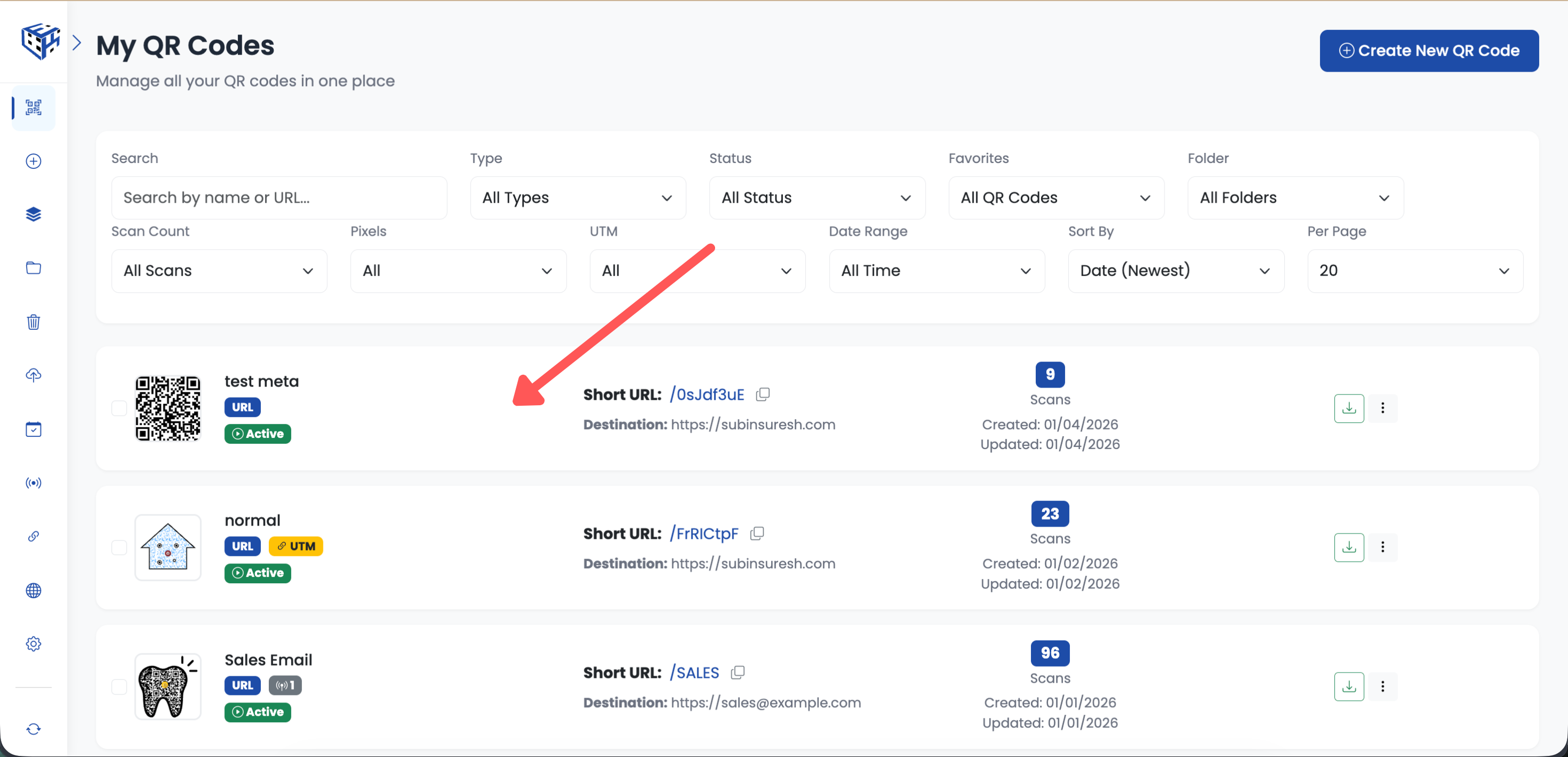
Find your QR code in the list
Click the 3-Dots Menu
Click the 3-dots menu icon on the QR code card.
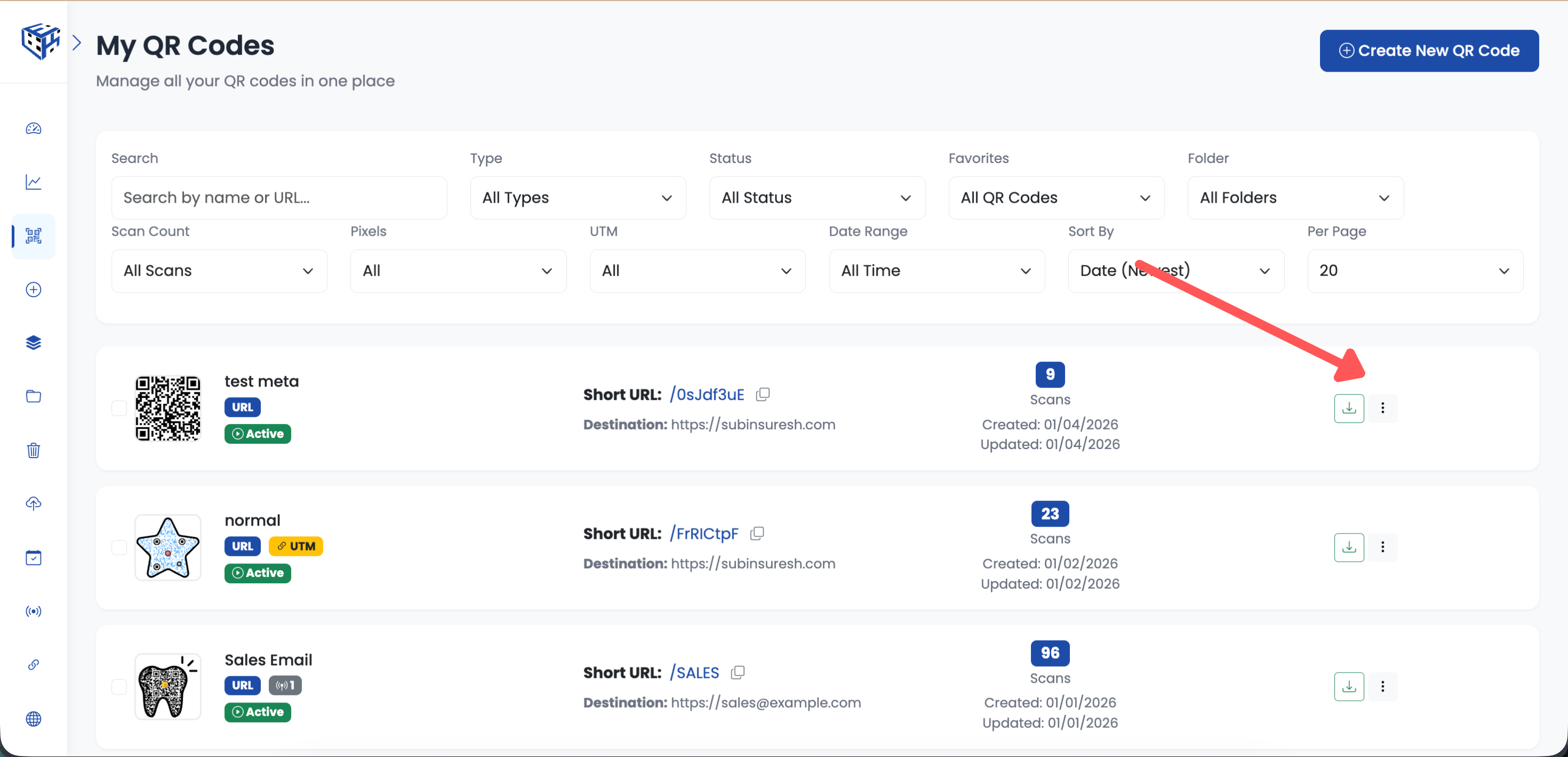
Click the 3-dots menu
Select Add to Favorites
Click "Add to Favorites" from the dropdown menu.
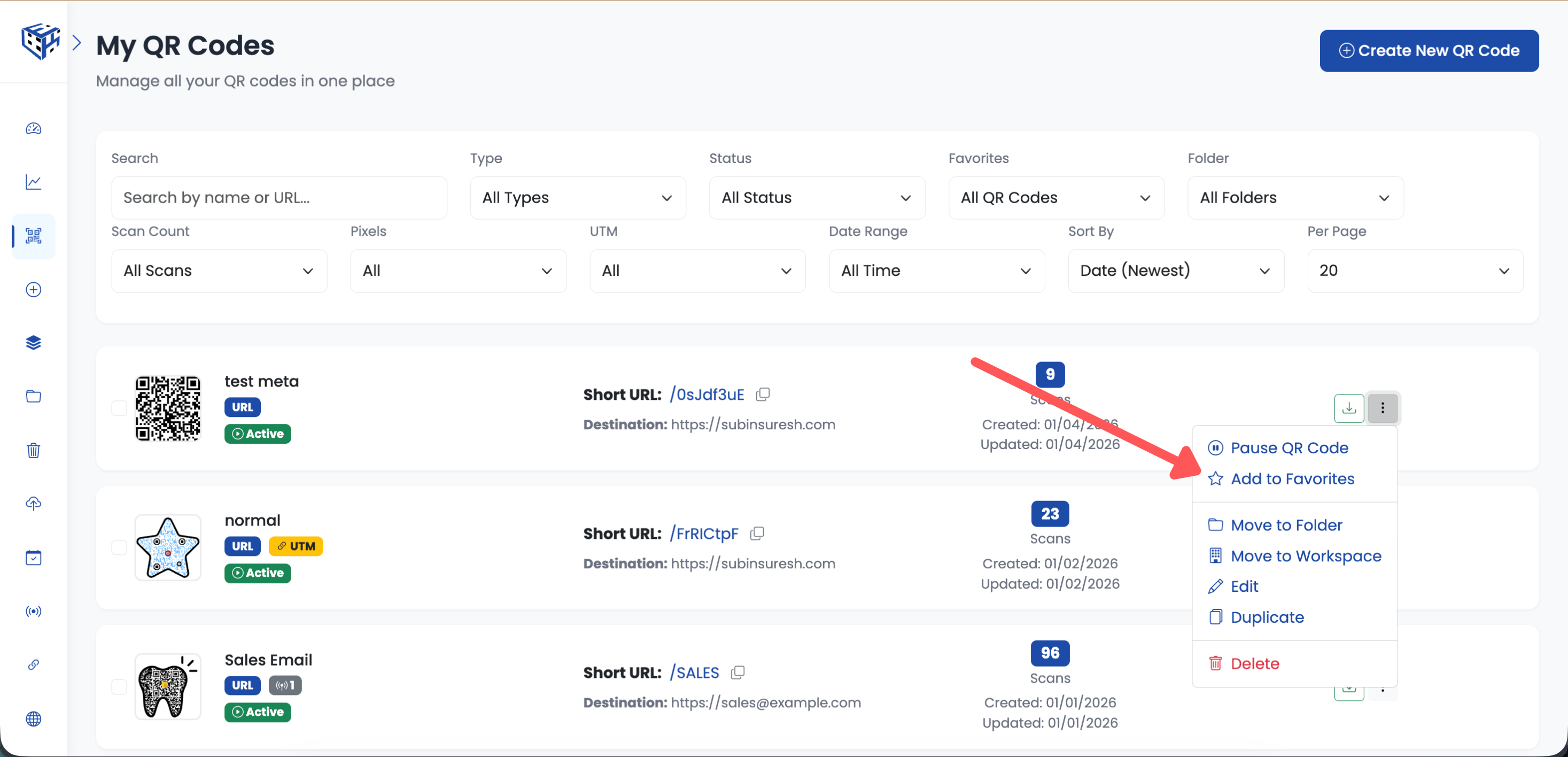
Click Add to Favorites
Bulk Add to Favorites
Select multiple QR codes using checkboxes. A bulk operations toolbar appears below the filters. Click "Favorites" and choose to add or remove from favorites.
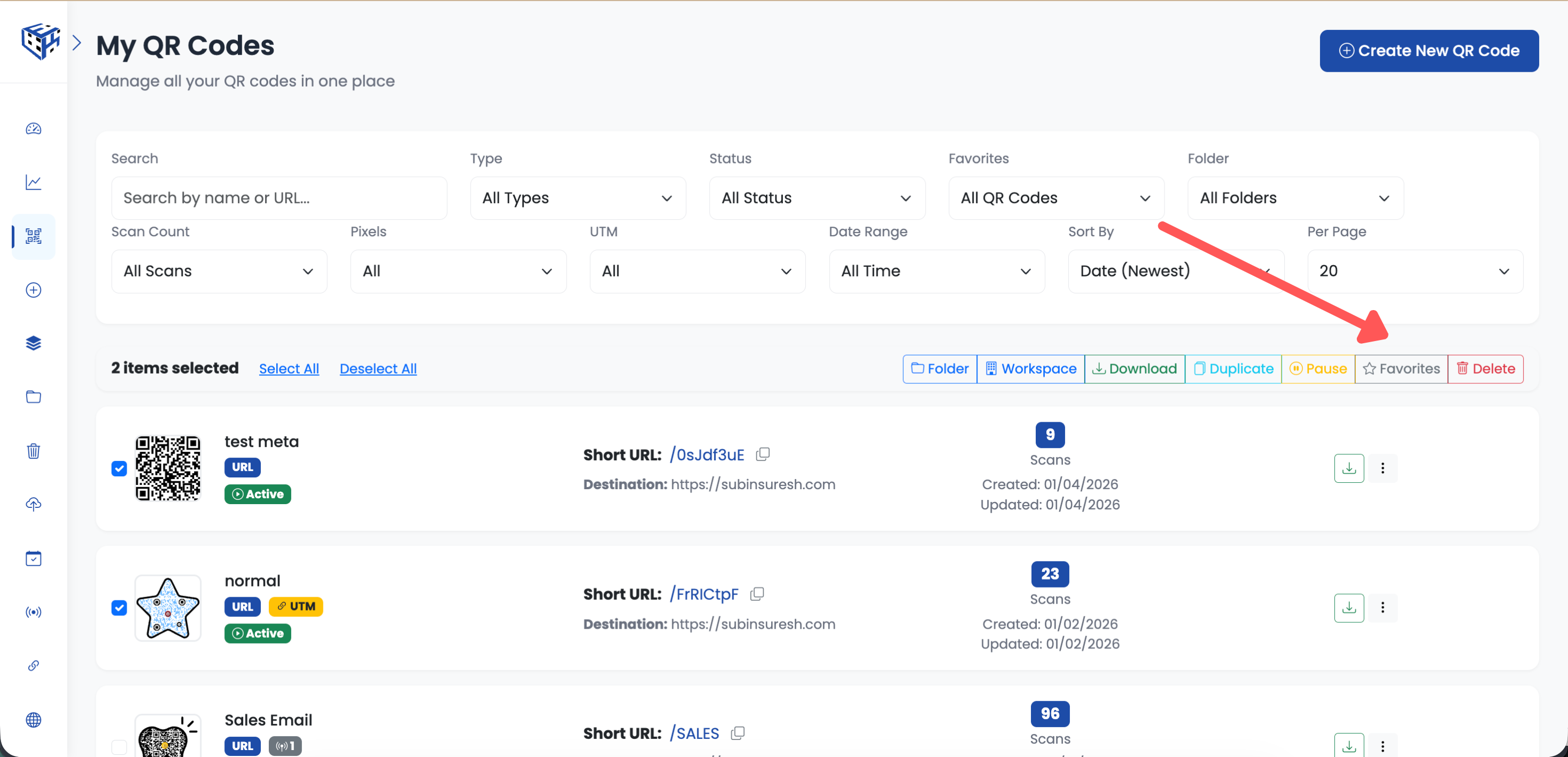
Select QR codes and click Favorites in toolbar
Favorited QR Code
Your QR code now shows a star icon. To see only your favorites, use the filter dropdown and select "Favorites Only".
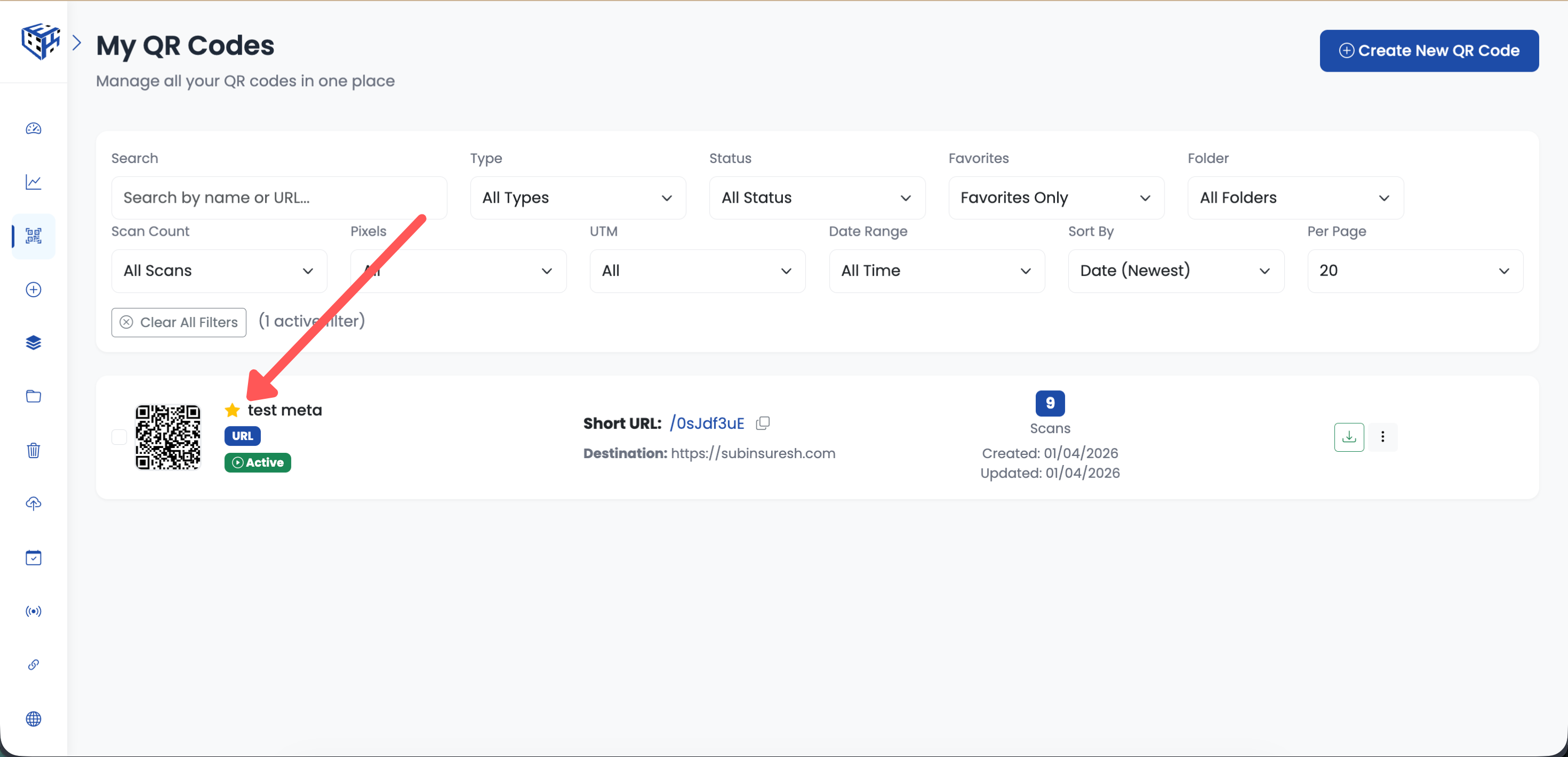
Star icon shows the QR code is favorited
Tip
To remove from favorites, click the 3-dots menu again and select "Remove from Favorites".
- Favorites - Learn more about favorites feature
Still facing difficulties?
Click here to contact our support team for assistance