Music and Stories in a Scan
A museum puts QR codes next to exhibits. Visitors scan and hear a 2-minute audio guide about the artifact - no headset rental needed. An indie musician puts a QR code on their album cover. Fans scan and stream the entire album instantly. A meditation teacher adds QR codes to printed cards - clients scan for guided sessions at home.
Audio QR codes create a player page for your music, podcasts, audio guides, or voice messages. Upload MP3s directly or create playlists.
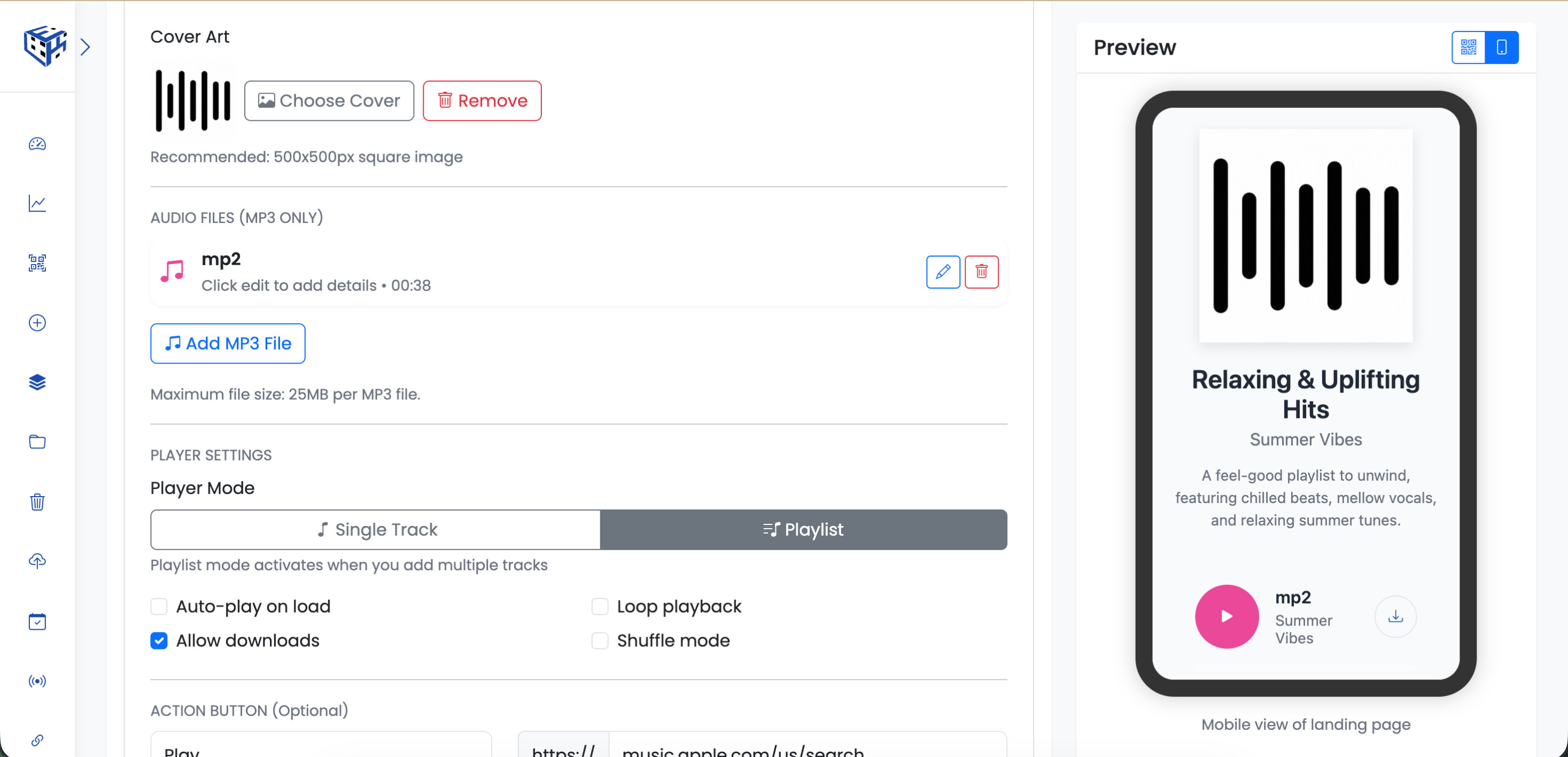
Upload MP3 files and configure player settings
What Visitors See
An audio player page with cover art, track info, play/pause controls, progress bar, and optional download button. Multiple tracks display as a scrollable playlist.
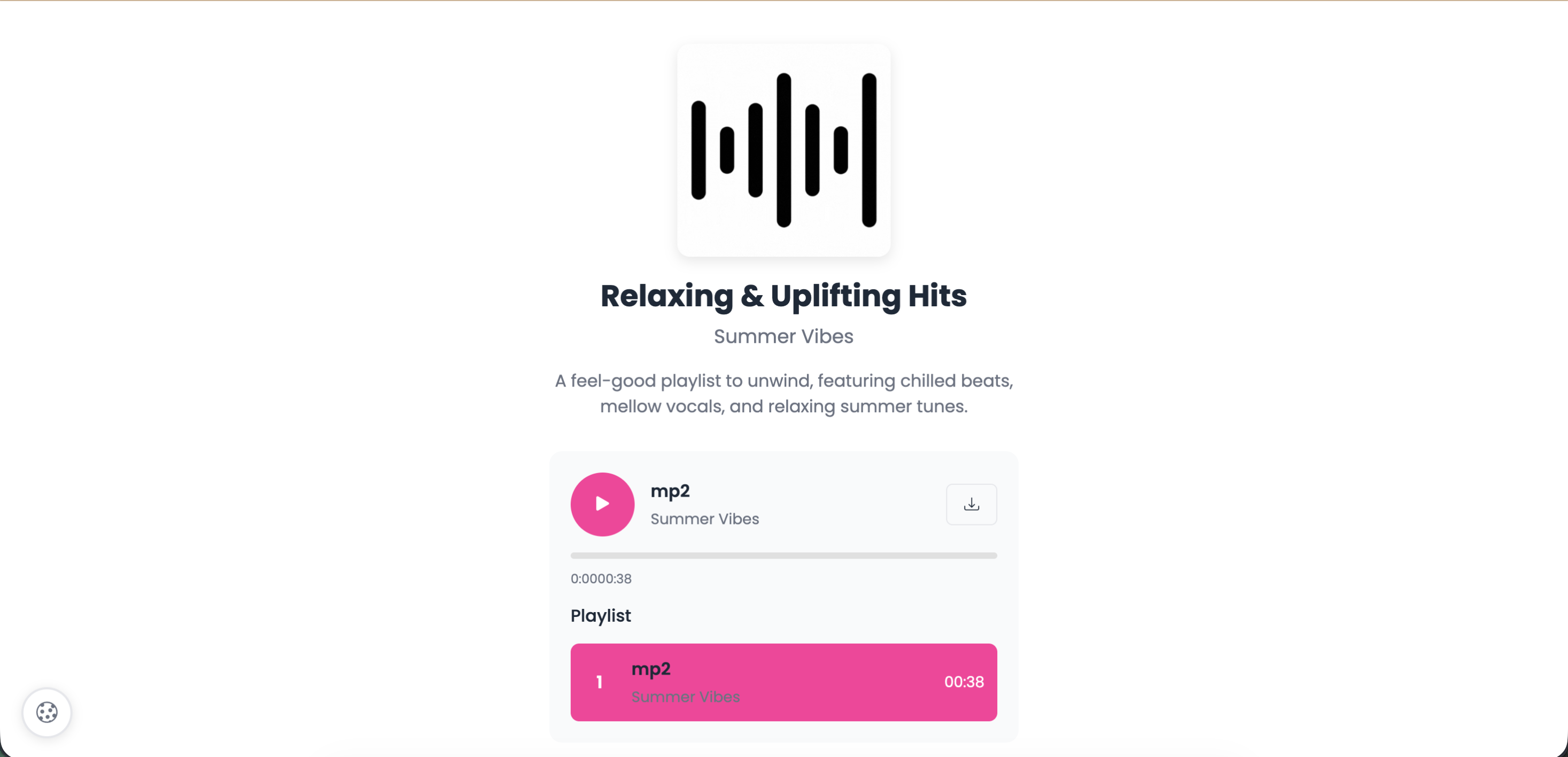
Built-in audio player with playlist support
Audio Information
| Field | Description | Limit |
|---|---|---|
| Title* | Track or album name | 100 characters |
| Artist/Creator | Artist, band, or podcast host | 60 characters |
| Description | Album info, episode notes, or lyrics | 500 characters |
| Cover Art | Album artwork or podcast logo | 500x500px recommended |
Audio Files
Upload MP3 files only. Maximum 25MB per file. Add multiple tracks to create a playlist.
Player Settings
| Setting | Description |
|---|---|
| Player Mode | Single Track or Playlist |
| Auto-play | Start playing when page loads |
| Loop Playback | Repeat when finished |
| Allow Downloads | Show download button |
| Shuffle Mode | Random track order (playlist only) |
Action Button
Optional button linking to streaming platforms. Example: "Stream on Spotify" with Spotify URL.
Use Cases
| Use Case | Example |
|---|---|
| Musicians | Album releases, single promotion |
| Podcasts | Episode sharing, show promotion |
| Museums | Audio tours and guides |
| Education | Language lessons, lectures |
| Wellness | Meditation, relaxation tracks |
Tip
Add a button linking to Spotify, Apple Music, or your website. Musicians: use this to drive streaming platform follows.
Still facing difficulties?
Click here to contact our support team for assistance