A Website Without Building One
A plumber hands out business cards at every job. Customers want to see his work, prices, and reviews before calling. He doesn't have time to build a website. He puts a QR code on his card. Customers scan and see: services with prices, photo gallery of completed jobs, opening hours, Google reviews link, and a 'Call Now' button. He updates his prices for the new year - all cards now show the new prices.
Business Page QR codes create a complete mini website. Perfect for businesses without a website, or as a mobile landing page that shows everything customers need.
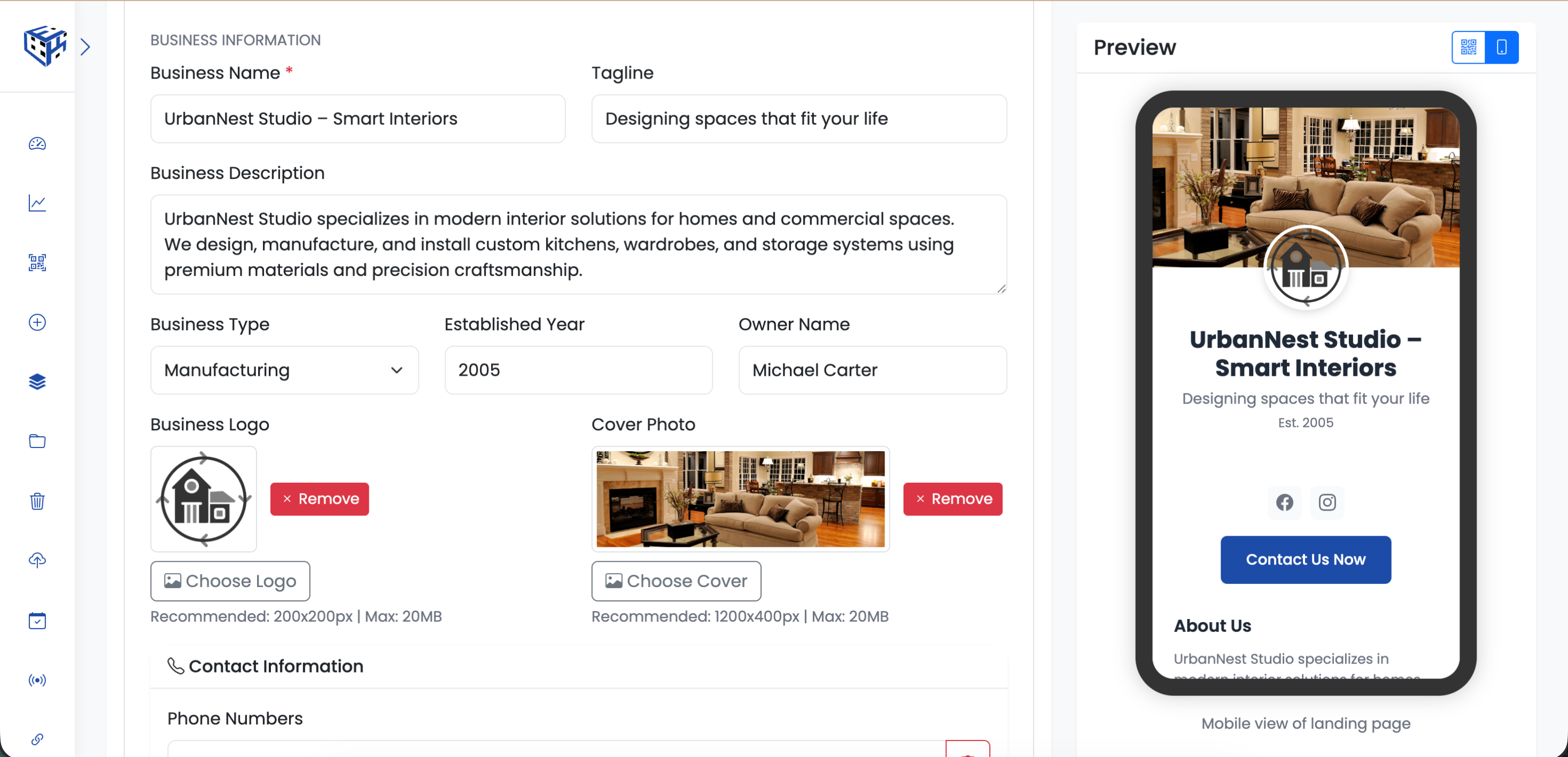
Enter business details, contact info, and services
What Visitors See
A professional page with logo, cover photo, services with pricing, opening hours, contact buttons (Call, Email, WhatsApp), location map, photo gallery, PDF catalogs, payment methods, and review links.
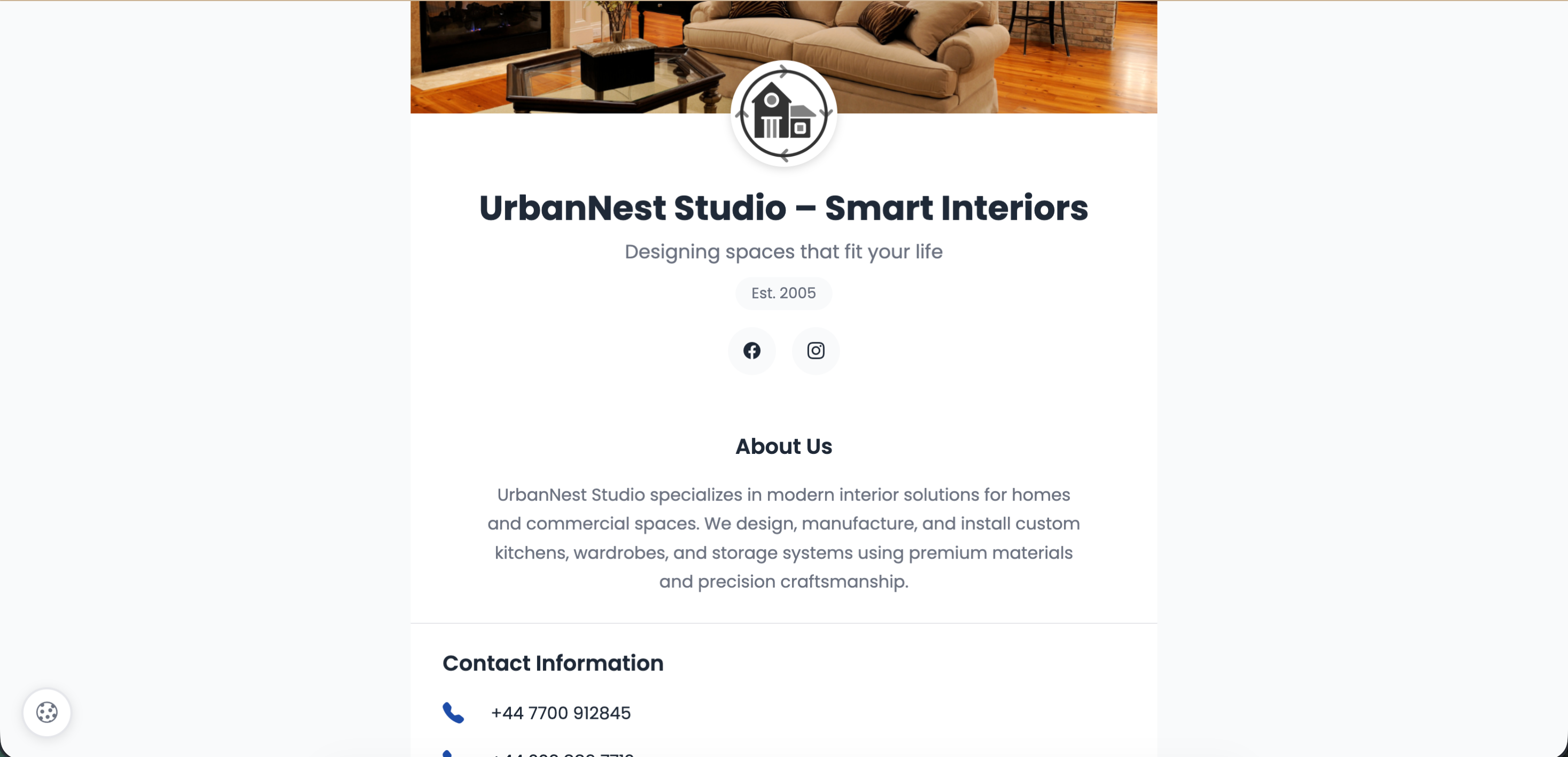
Complete business page with all essential info
Business Information
| Field | Description | Limit |
|---|---|---|
| Business Name* | Your business name | 120 characters |
| Tagline | Short slogan or motto | 120 characters |
| Description | About your business | 240 characters |
| Business Type | Retail, Restaurant, Service, Technology, Healthcare, Education, Manufacturing, Other | - |
| Established Year | When you started | 1900-2099 |
| Owner Name | Business owner | 100 characters |
| Logo | Square business logo | 200x200px, 20MB |
| Cover Photo | Header banner | 1200x400px, 20MB |
Contact Information
| Field | Description |
|---|---|
| Phone Numbers | Add multiple phone numbers |
| WhatsApp number | |
| Email Addresses | Add multiple emails |
| Websites | Add multiple website URLs |
| Business Address | Street, City, State, Zip, Country |
Opening Hours
Set hours for each day (Monday-Sunday) with your timezone. Uncheck days when closed.
Services/Products
Add unlimited services or products with details.
| Field | Description |
|---|---|
| Service Image | Product/service photo (400x400px) |
| Service Name | Name of service or product |
| Price | Optional pricing |
| URL | Link to product page |
| Button Text | e.g., Learn More, Buy Now |
| Description | Service details |
Catalogs & Gallery
| Feature | Description |
|---|---|
| PDF Catalogs | Up to 10 PDFs (50MB each) - menus, brochures, price lists |
| Photo Gallery | Up to 10 images (20MB each) - showcase your work |
Social Media
Add links to Facebook, Instagram, Twitter/X, LinkedIn, YouTube, TikTok, WhatsApp, Telegram, Pinterest, and Snapchat.
Payment Methods
Show accepted payment methods: Cash, Credit Card, Debit Card, PayPal, Apple Pay, Google Pay, Bank Transfer, Cryptocurrency.
Features & Amenities
Display amenities: WiFi, Parking, Wheelchair Access, Pet Friendly, Outdoor Seating, Delivery, Takeout, Air Conditioning.
Customer Reviews
Add links to your review pages: Google Reviews, Facebook Reviews, Yelp, TripAdvisor.
Call to Action
| Field | Description | Limit |
|---|---|---|
| Button Text | e.g., Contact Us Now, Get Quote | 50 characters |
| Button URL | Where the button links to | - |
Use Cases
| Use Case | Example |
|---|---|
| Small businesses | Shops without websites |
| Service providers | Plumbers, electricians, consultants |
| Food trucks | Mobile businesses at events |
| Market vendors | Farmers markets, craft fairs |
| Pop-up shops | Temporary retail locations |
Tip
Link your Google Reviews page to build trust. Show accepted payment methods so customers know before they arrive.
Still facing difficulties?
Click here to contact our support team for assistance