Singapore's Instant Payment Standard
A hawker stall in Singapore serves 200 customers a day. Half pay cash, half want cashless. The owner sticks a PayNow QR code next to the register. Customers scan with DBS, OCBC, or GrabPay, tap 'Send $5', done. Money appears in his account before the customer sits down. No card terminals, no transaction fees, instant confirmation.
PayNow QR codes work with Singapore's national instant payment system. Every major bank (DBS, OCBC, UOB, POSB) and e-wallet (GrabPay, Singtel Dash) supports it. Money arrives in seconds.
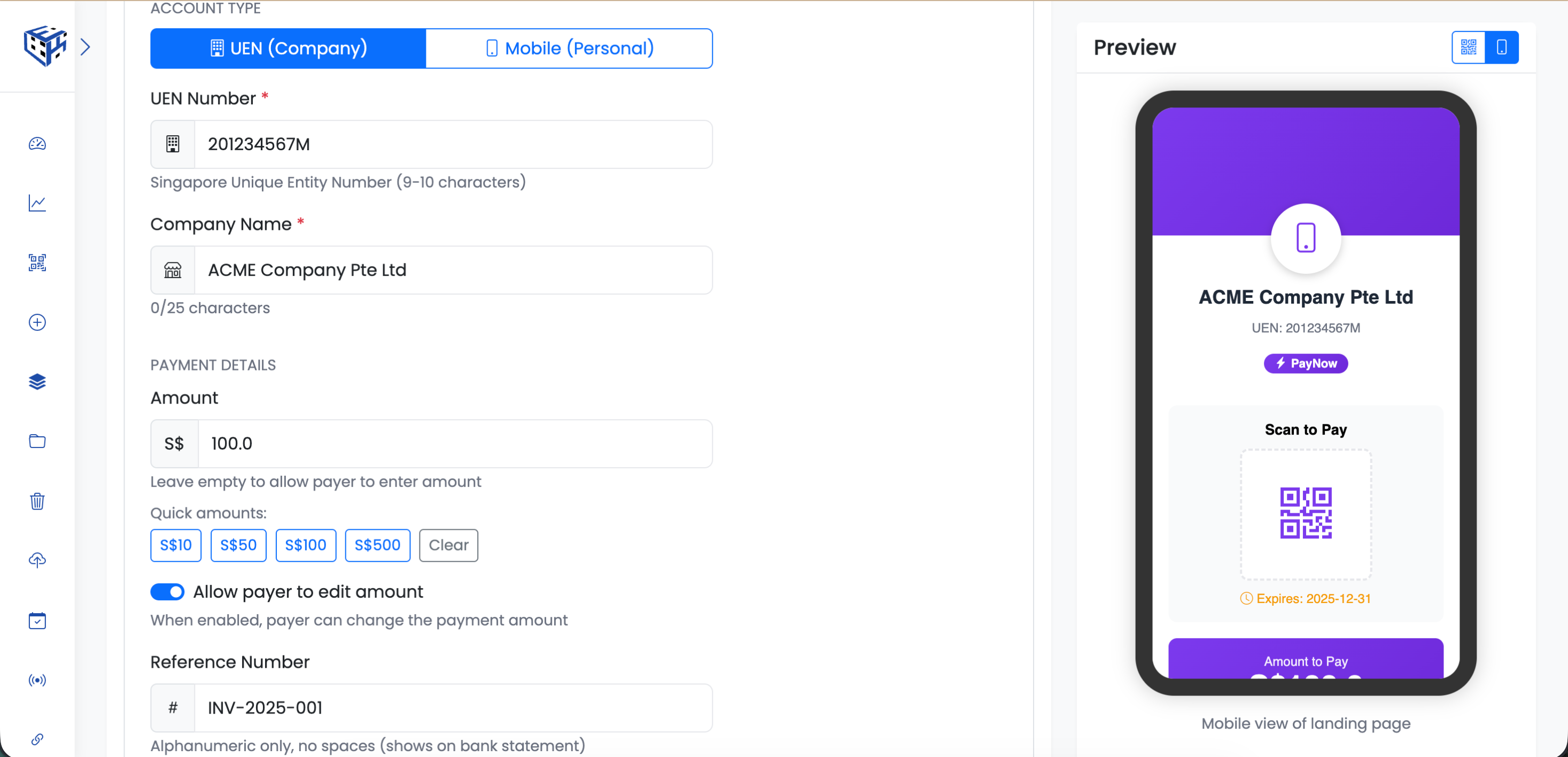
Enter UEN or mobile number
What Visitors See
A payment landing page with your business name or personal name, the amount (or empty for customer to enter), and a prompt to scan. When scanned with a banking app, payment details auto-fill.
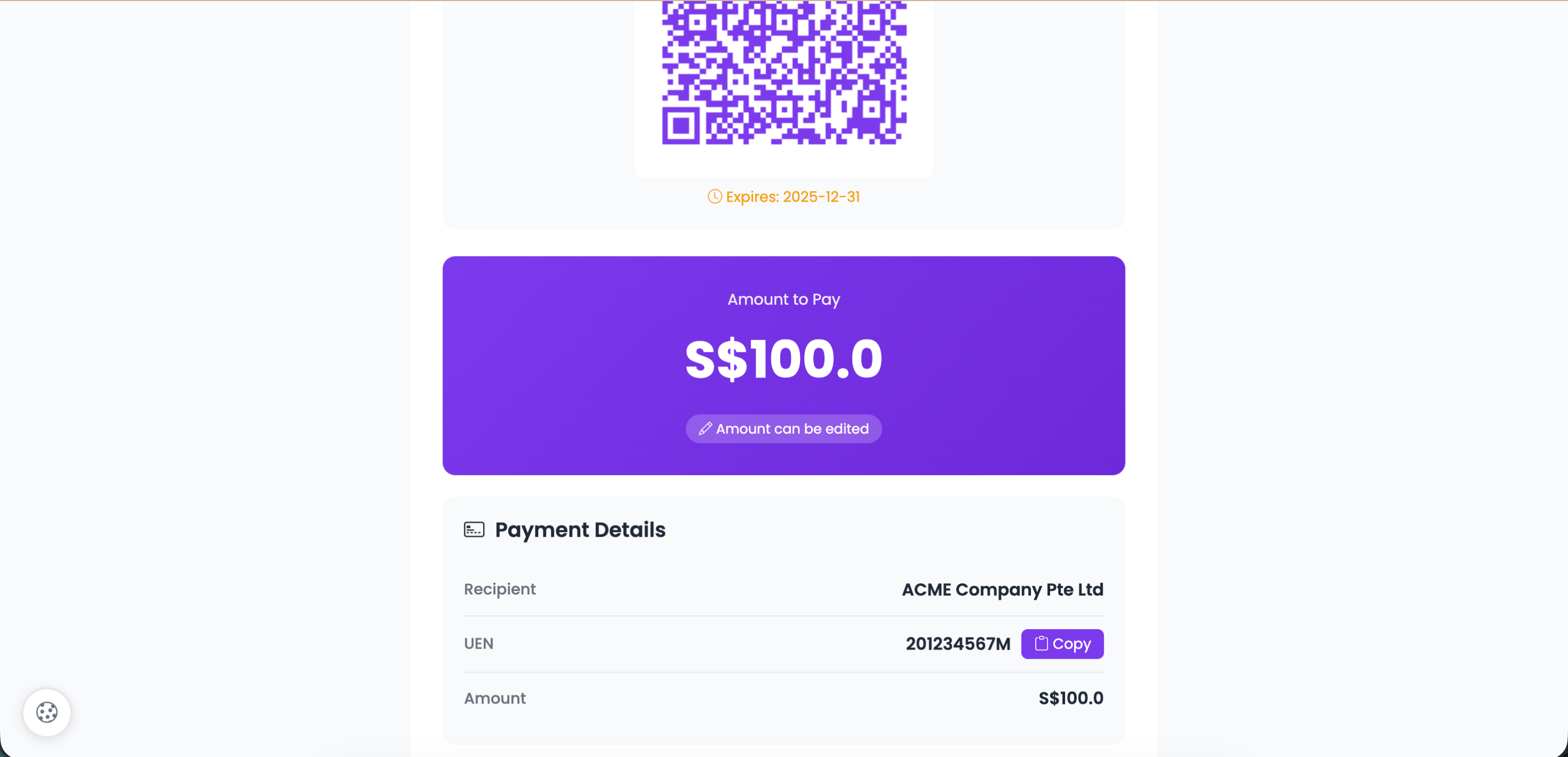
Scan with any Singapore banking app
Account Types
| Type | Best For | Identifier |
|---|---|---|
| UEN (Company) | Businesses, organizations | Unique Entity Number |
| Mobile (Personal) | Individuals, freelancers | Singapore mobile number |
UEN (Business) Fields
| Field | Description | Limit |
|---|---|---|
| UEN Number* | Singapore Unique Entity Number | 9-10 characters |
| Company Name* | Business name displayed to payer | 25 characters |
Mobile (Personal) Fields
| Field | Description | Limit |
|---|---|---|
| Mobile Number* | Singapore number starting with 8 or 9 | 8 digits (+65) |
| Recipient Name* | Your name displayed to payer | 25 characters |
Payment Details
| Field | Description |
|---|---|
| Amount (SGD) | Pre-set amount or leave empty |
| Allow Edit | Let payer change the amount |
| Reference Number | Alphanumeric only, no spaces (25 chars) |
| Expiry Date | When the QR code expires |
Quick Amount Buttons
Pre-set amount buttons: S$10, S$50, S$100, S$500. Or leave empty for payer to enter any amount.
Visual Elements
| Field | Description |
|---|---|
| Logo | 200x200px, 20MB max |
| Background Image | 800x400px banner, 20MB max |
How It Works
Customer scans with their banking app (DBS, OCBC, UOB, POSB, Standard Chartered) or e-wallet (GrabPay, Singtel Dash). Amount and reference auto-fill. They confirm and send.
Use Cases
| Use Case | Example |
|---|---|
| Hawker stalls | Cashless payments at food courts |
| Retail stores | Point of sale payments |
| Freelancers | Invoice payments from clients |
| Donations | Temples, charities, fundraising |
| Personal | Split bills, gifts, transfers |
Tip
For businesses, use your UEN (Unique Entity Number). For personal use, register your mobile number with PayNow through your bank.
Still facing difficulties?
Click here to contact our support team for assistance