Your European client needs GDPR-compliant cookie banners. Your restaurant chain wants booking confirmations sent from their own email domain. Your enterprise integration requires API keys that only work for specific workspaces. Each workspace in ElkQR has its own independent settings - configure compliance, integrations, and access exactly how each project requires.
Accessing Settings
Click Settings in the sidebar. Settings are organized into tabs.
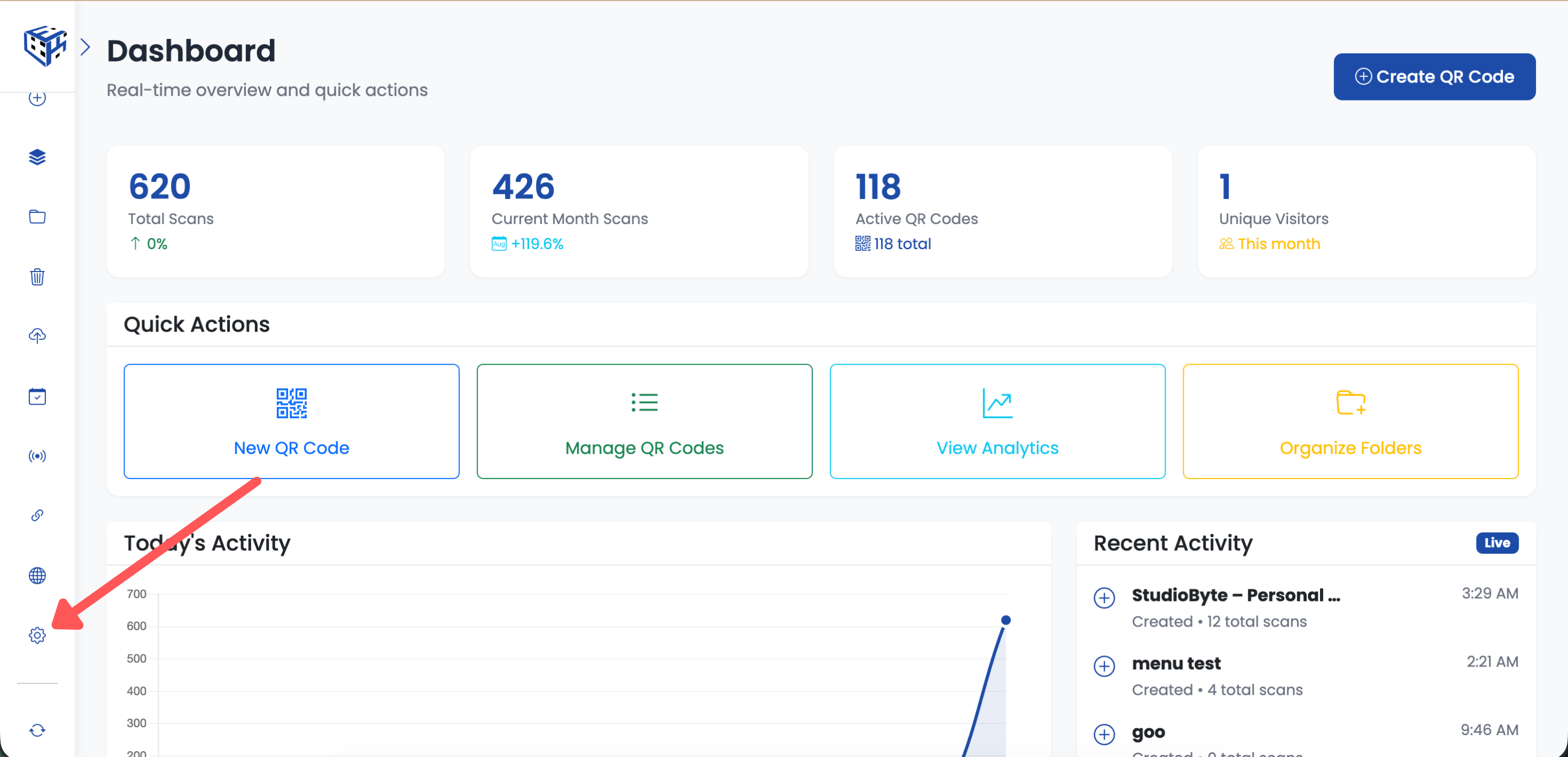
Click Settings in the sidebar
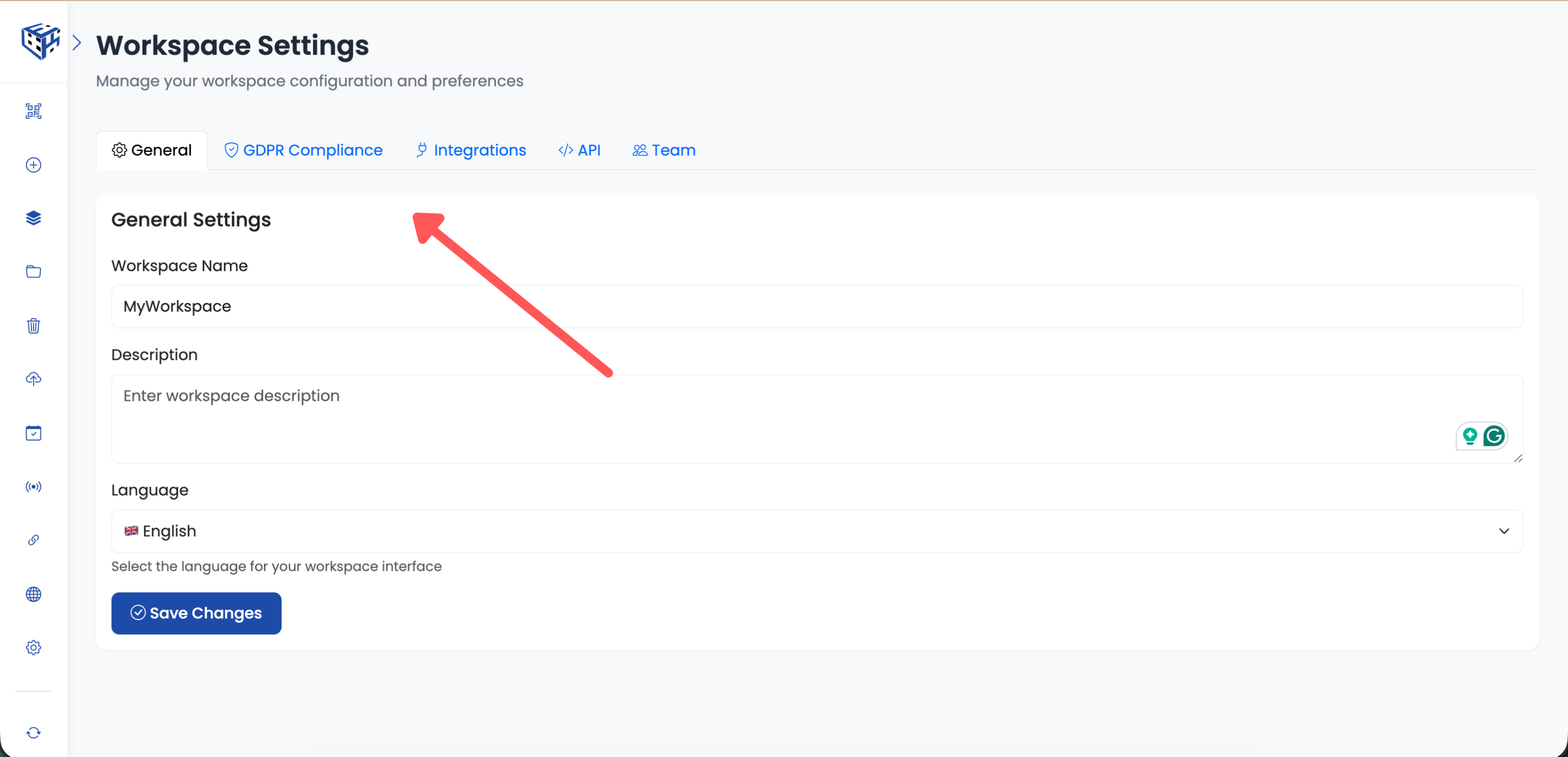
Settings are organized into tabs
Settings Tabs Overview
| Tab | What You Configure |
|---|---|
| General | Workspace name, description, and language |
| GDPR Compliance | Cookie consent banner for landing pages |
| Integrations | Custom SMTP for branded emails |
| API | API keys for programmatic access |
| Team | Team member invitations and permissions |
General Tab
Basic workspace identification and preferences:
| Setting | Description |
|---|---|
| Workspace Name | Display name shown in workspace selector (max 60 characters) |
| Description | Optional text to help identify the workspace |
| Language | Interface language for this workspace |
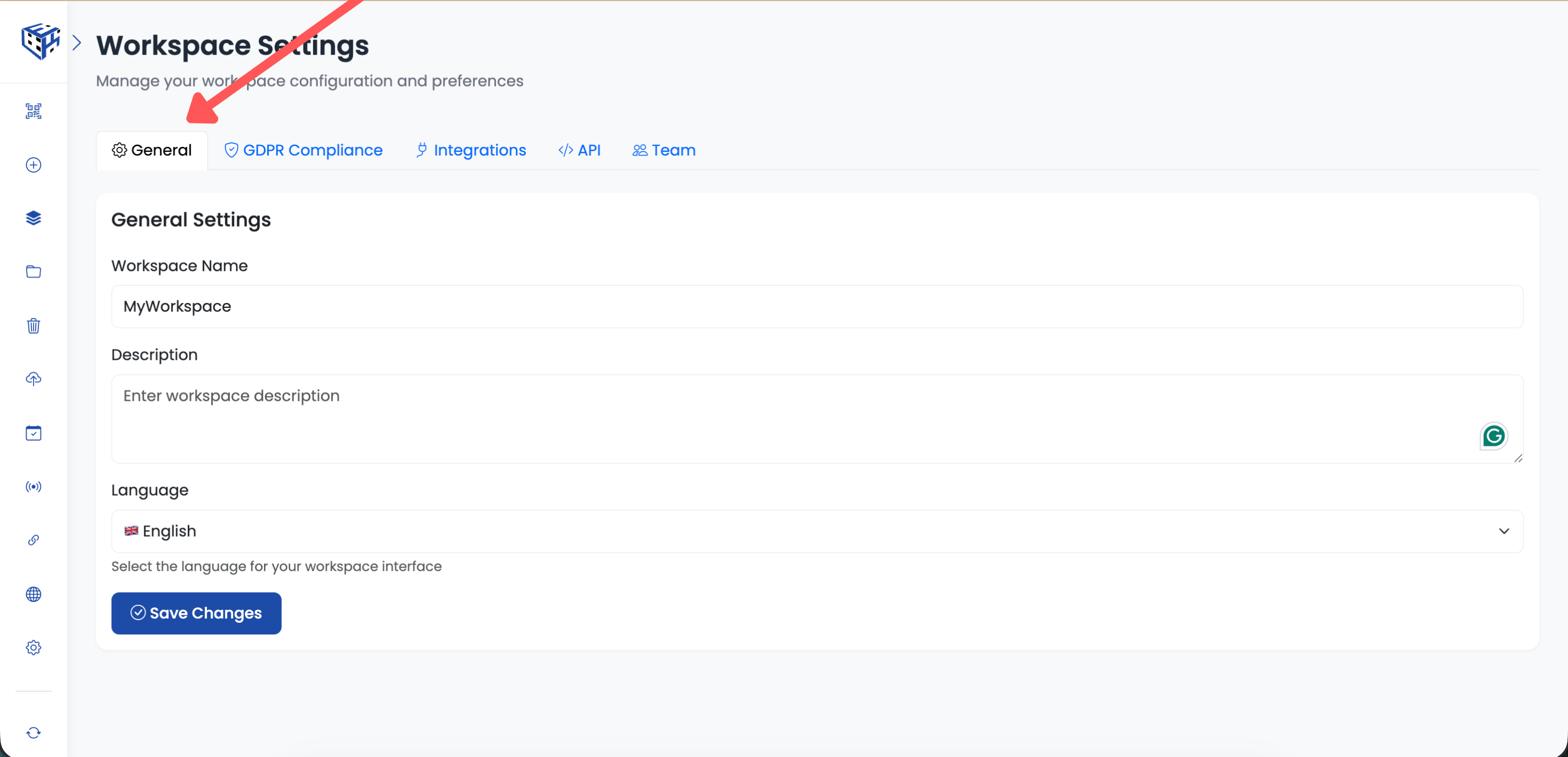
General Tab
GDPR Compliance Tab
Configure cookie consent banners for your QR code landing pages:
| Setting | Description |
|---|---|
| Enable Banner | Show cookie consent popup on landing pages |
| Company Name | Your company name displayed in the consent text |
| Privacy Policy URL | Link to your privacy policy page |
| Cookie Policy URL | Link to your cookie policy page |
| Contact Email | Email for privacy-related inquiries |
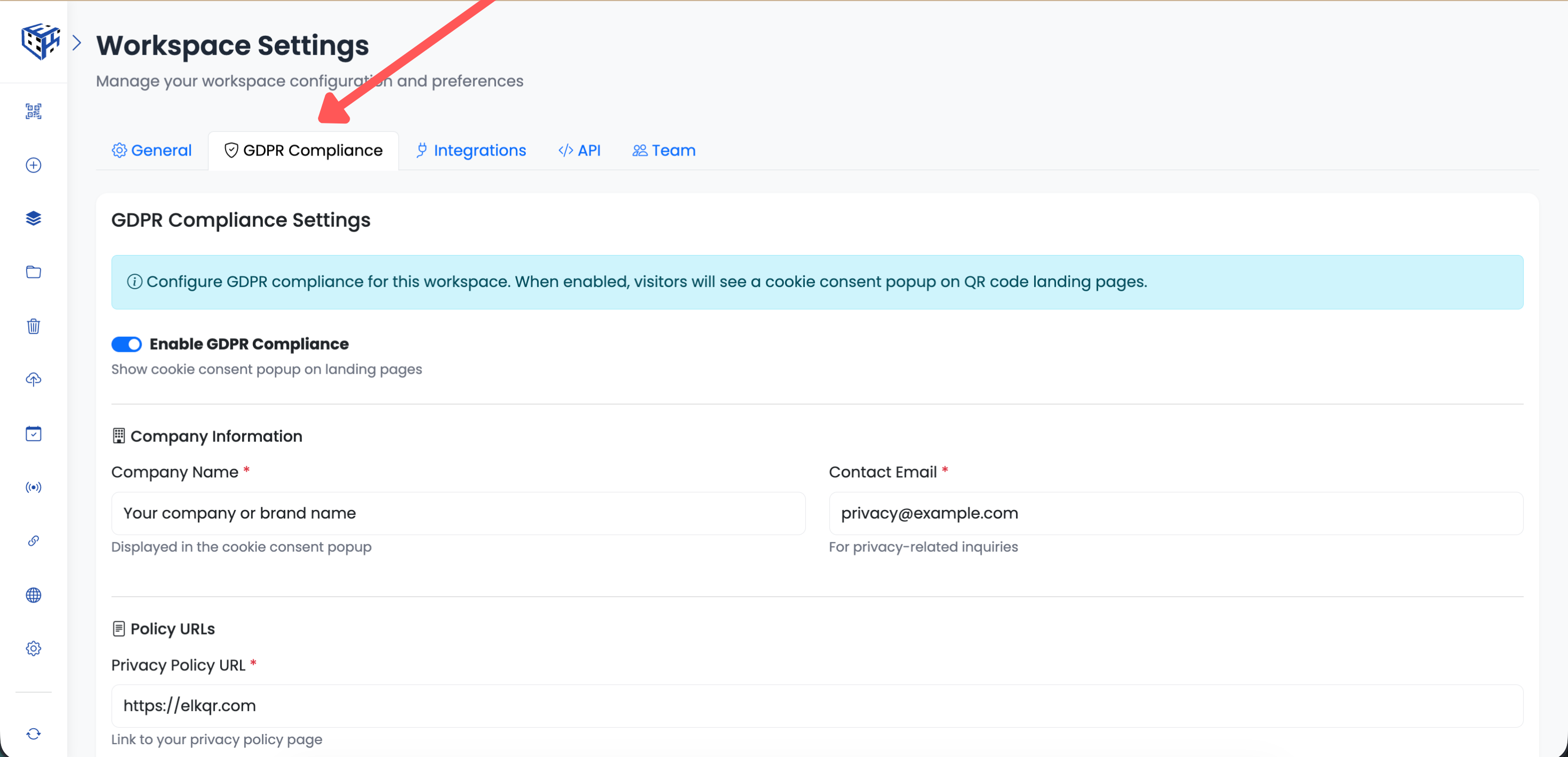
GDPR Compliance Tab
Integrations Tab
Configure custom SMTP to send booking confirmations and notifications from your own email domain:
| Setting | Example |
|---|---|
| SMTP Host | smtp.sendgrid.net |
| Port | 587 (TLS) or 465 (SSL) |
| Username | Your SMTP username |
| Password | Your SMTP password |
| From Email | bookings@yourcompany.com |
| Encryption | TLS (recommended) |
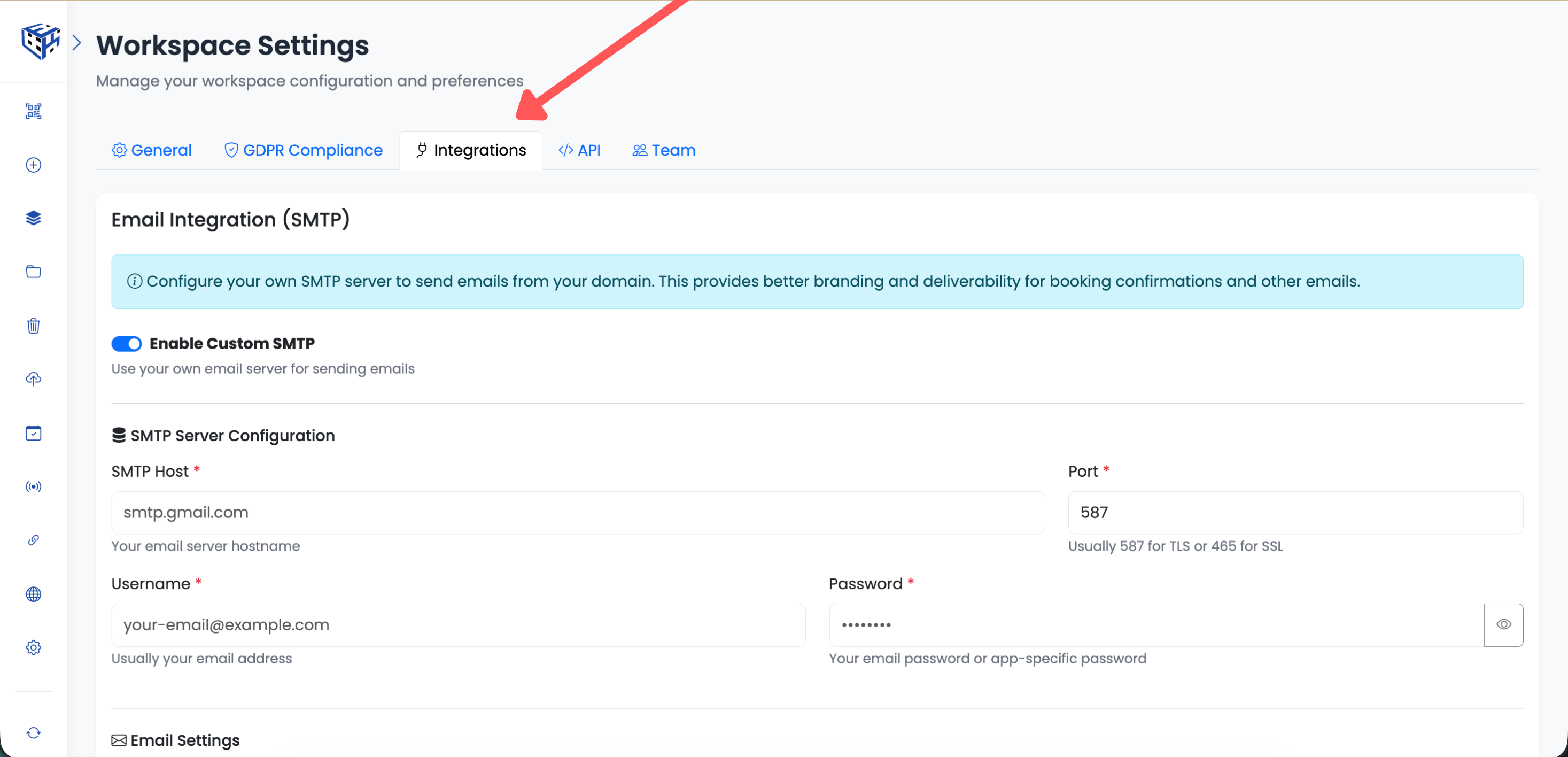
Integrations Tab
API Tab
Create and manage API keys for programmatic access. Each key only works for this specific workspace, so you can safely share keys with developers without exposing other workspaces.
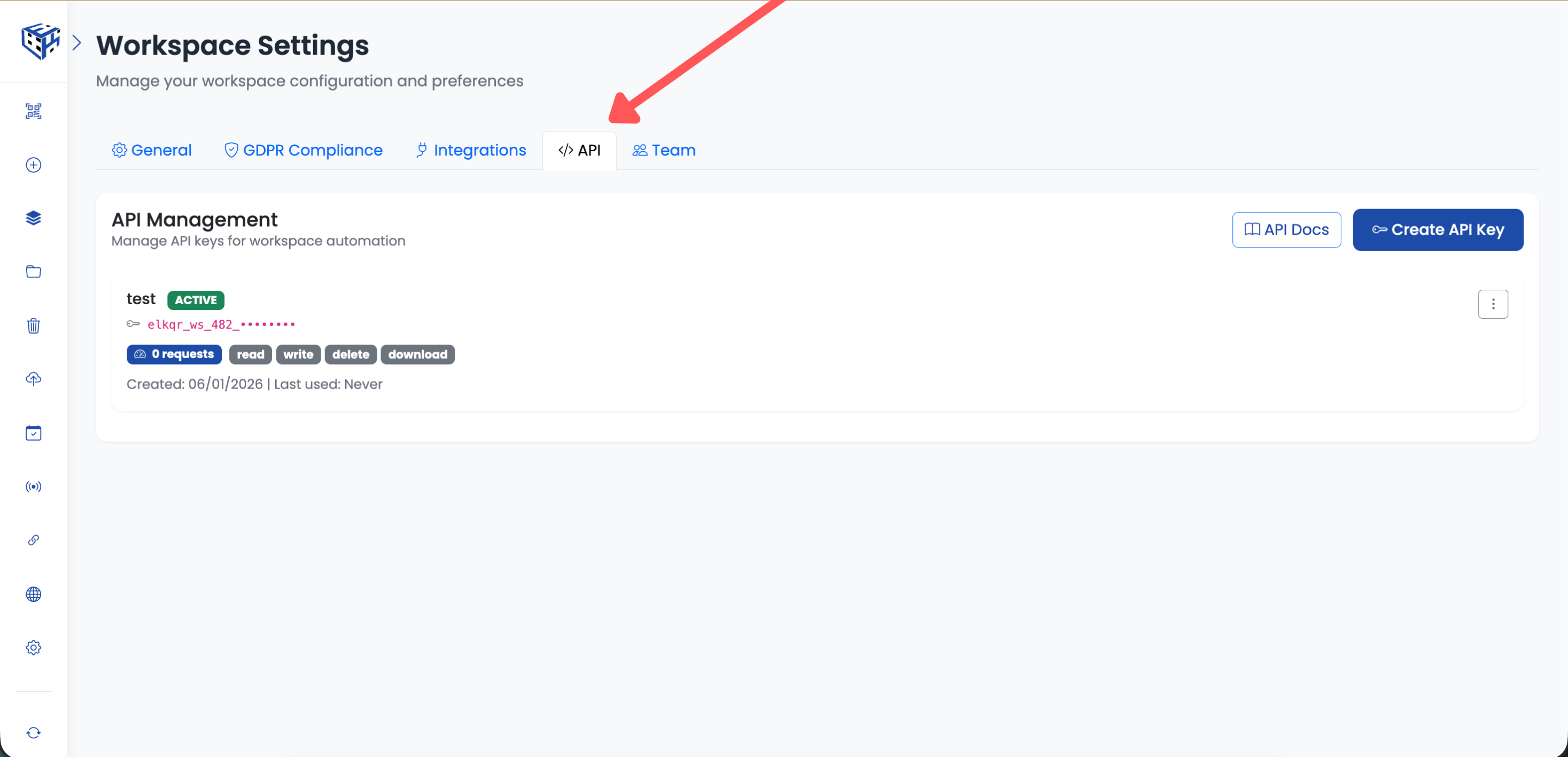
API Tab
Tip
Workspace settings are completely independent. Your European client can have GDPR banners while your US client doesn't. Each workspace can use different SMTP servers, API keys, and compliance settings.
Still facing difficulties?
Click here to contact our support team for assistance