Keep Track of Everything You Do
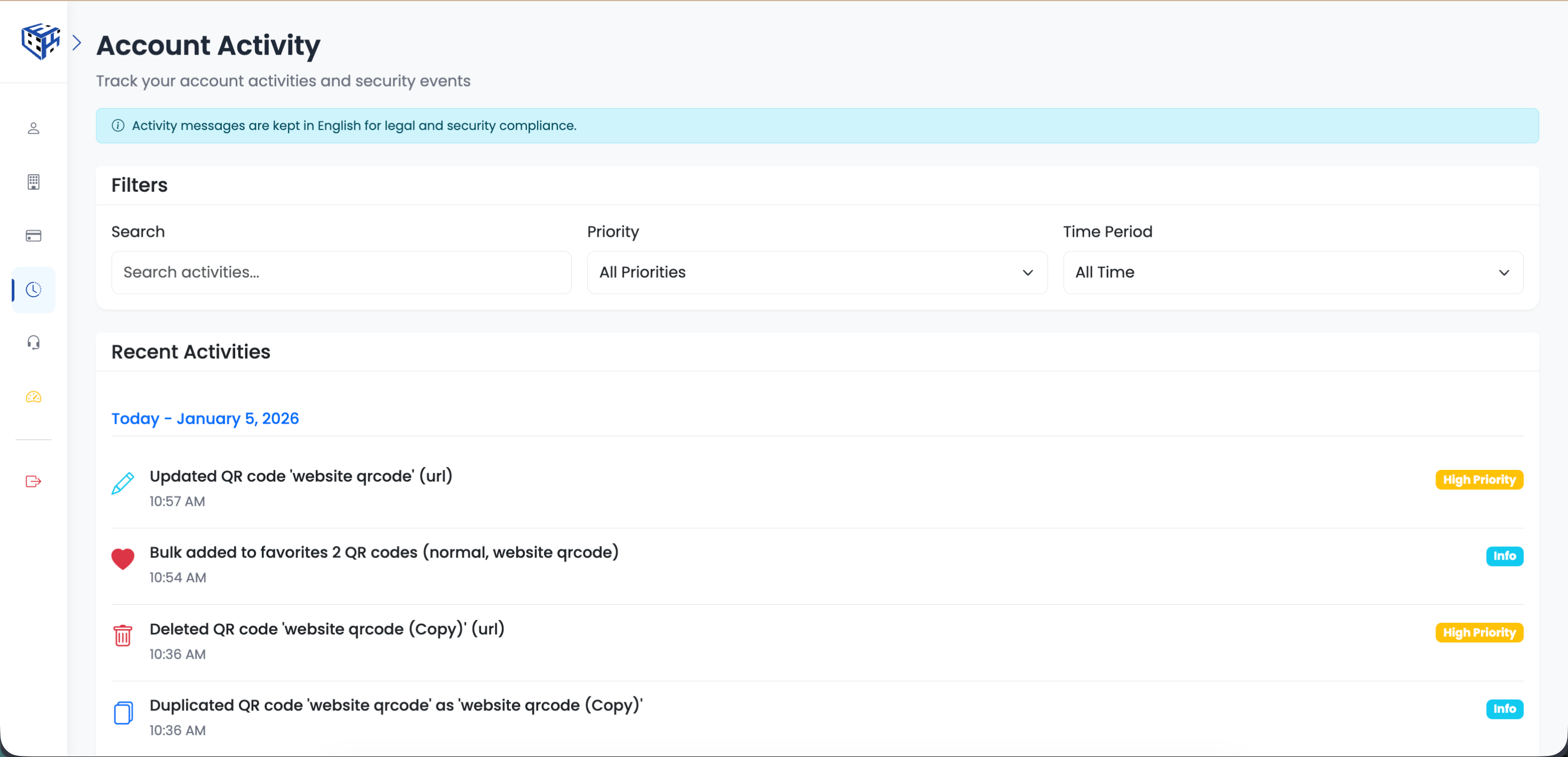
Did you accidentally delete something last week? Can't remember when you changed that URL? Wondering if that login was really you? Activity Logs show you a complete history of your own actions - every login, every QR code created or edited, every file uploaded.
Think of it as your personal audit trail. When something seems off, you can scroll back through your activity history with exact timestamps and IP addresses to see exactly what happened.
What's Tracked
| Category | Your Actions Logged |
|---|---|
| Security | Your logins, logouts, password changes, 2FA setup |
| QR Codes | Created, edited, deleted, restored from trash |
| Bulk Operations | Bulk create, bulk move, bulk delete |
| Files & Folders | Uploaded, renamed, moved, deleted |
| Domains | Custom domains added or removed |
| Settings | Workspace and profile settings changed |
Security vs Normal Priority
Events are categorized by priority. Security events (logins, password changes) are flagged so you can quickly spot if someone accessed your account.
| Priority | Examples |
|---|---|
| Security (High) | Login from new device, password reset, 2FA changes |
| Normal | QR code created, file uploaded, folder renamed |
Details Captured
- Exact timestamp
- IP address
- Description of what changed
Tip
Click Activity in the sidebar to access your activity logs. Use filters to search by description, priority, or time period. Logs are retained for 6 months.
Still facing difficulties?
Click here to contact our support team for assistance