Why Does My QR Code Look Blurry on the Billboard?
You designed the perfect QR code. Added your logo. Picked the colors. Sent it to the print shop. Then you see it on a 10-foot billboard... and it looks like a pixelated mess. The edges are jagged. The logo is fuzzy. People are squinting at it from across the street.
The problem? You downloaded a 512px PNG and stretched it to billboard size. That's like taking a passport photo and printing it on a movie poster.
Download in the right format for the right use case. PNG for web, SVG for print, JPEG for emails.
Which Format Should You Use?
| Format | Best For | Why |
|---|---|---|
| PNG | Websites, social media, apps | Transparent background, crisp edges, universal support |
| JPEG | Emails, documents, smaller files | Smaller file size, works everywhere, no transparency |
| WebP | Modern websites, fast loading | Best compression, 25-35% smaller than PNG |
| SVG | Print materials, billboards, any size | Vector format - infinite scalability, always sharp |
PNG Size Guide
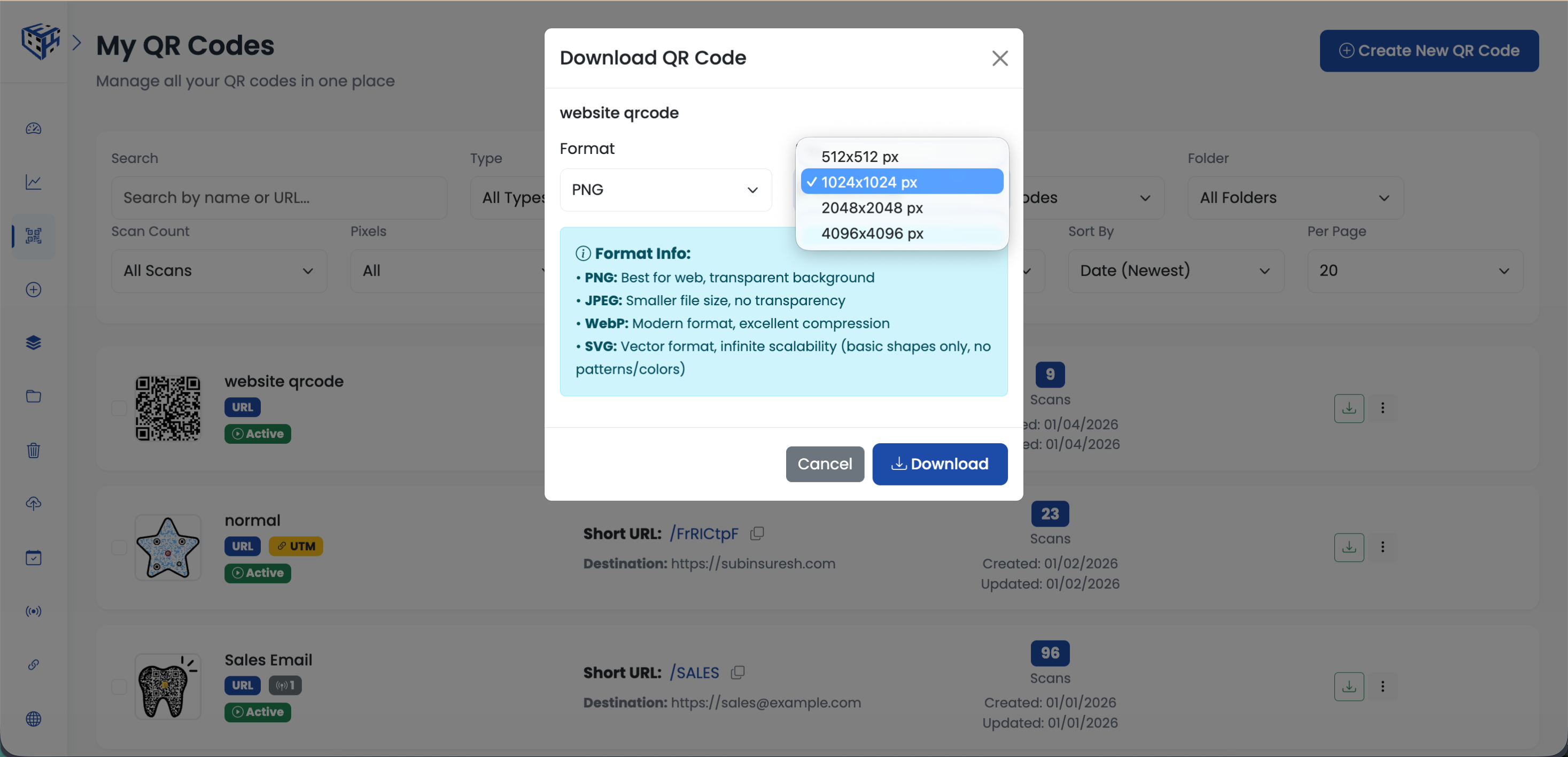
For PNG, JPEG, and WebP downloads, choose the right size for your use case:
| Size | Use Case | Example |
|---|---|---|
| 512 x 512 px | Small web, email signatures | Footer of email newsletter |
| 1024 x 1024 px | Social media, presentations | Instagram post, PowerPoint slide |
| 2048 x 2048 px | Print materials, flyers | A4 flyer, business card |
| 4096 x 4096 px | Large posters, banners | Trade show banner, storefront poster |
The SVG Advantage
SVG is vector-based. That means it's not made of pixels - it's made of mathematical shapes. You can scale it to the size of a building and it will still be perfectly crisp. No size selection needed for SVG because size doesn't matter - it's infinitely scalable.
Warning
SVG exports basic shapes only. Complex patterns and gradients may render differently. For full-color custom designs, use PNG at 4096px for large prints.
Real Scenarios
A restaurant owner downloads PNG 1024px for their website menu page. The QR code loads fast and looks great on any screen.
A marketing team downloads SVG for their trade show booth backdrop. They can scale it to any size and it stays perfectly sharp at 8 feet tall.
An event planner downloads JPEG for the email invitation. Smaller file size means faster email delivery and no issues with email clients.
Bulk Download
Need to download multiple QR codes at once? Select them from your dashboard, click Download, and choose your format. You'll receive an email with a download link when your QR codes are ready.
Tip
For print materials, always download SVG or PNG at 4096px. You can always scale down, but you can't scale up without losing quality.
Still facing difficulties?
Click here to contact our support team for assistance