Why Does My Link Look Ugly When Shared?
Someone scans your QR code. They love what they see. They copy the link and share it on LinkedIn. But instead of a beautiful preview with your brand image and catchy headline... they see a blank box with a random URL. No image. No description. Just 'elkqr.com/abc123'.
That's what happens when you don't set meta tags. Social platforms don't know what to show, so they show nothing useful. Your professional landing page looks like a suspicious spam link.
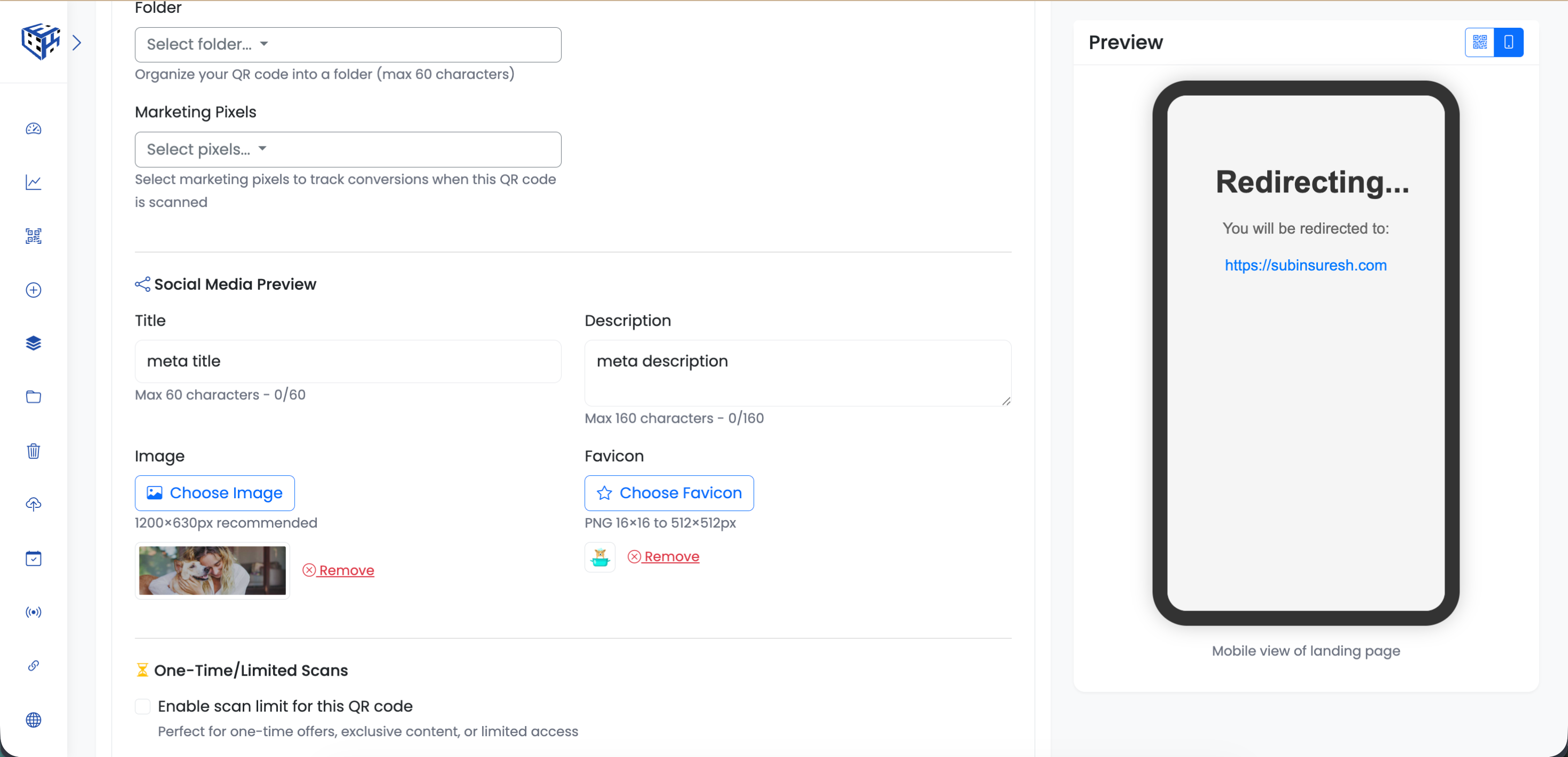
Control exactly what people see when your QR code link is shared on Facebook, LinkedIn, Twitter, and more.
What You Can Customize
| Field | What It Does | Limit |
|---|---|---|
| Title | The headline shown in the preview card | 60 characters |
| Description | The text below the headline | 160 characters |
| Image | The large preview image | 1200×630px recommended |
| Favicon | The small icon next to your URL | 16×16 to 512×512px |
Without vs With Meta Tags
| Without Meta Tags | With Meta Tags |
|---|---|
| Blank or generic preview | Custom branded preview |
| Random URL shown | Your title and description |
| No image | Your chosen preview image |
| Looks like spam | Looks professional and trustworthy |
| Low click-through rate | Higher engagement |
Real Examples
A real estate agent creates a QR code for property listings. Without meta tags, shared links show 'elkqr.com/x7k2m'. With meta tags, they show '4 Bed Villa in Miami - $850,000' with a beautiful property photo. Which one would you click?
An event organizer shares their event registration QR code link in a Facebook group. The preview shows 'Tech Conference 2025 - Early Bird Tickets Available' with the event banner. 3x more clicks than the generic URL.
Best Practices
- Keep titles under 60 characters - longer titles get cut off
- Write descriptions that create curiosity or urgency
- Use high-quality images at 1200×630px for best display
- Include your brand or product in the title
- Test by sharing your link in a private message to yourself
Tip
Meta tags are especially important for Landing Pages, PDFs, and Event QR codes - content that's likely to be shared beyond just scanning.
- How to Add Meta Tags to a QR Code? - Step-by-step guide to adding meta tags
Still facing difficulties?
Click here to contact our support team for assistance