Why Some People Don't Trust QR Codes
You've seen the headlines: "Scammers placing fake QR codes over parking meters." "Malicious QR codes stealing bank details." The result? A growing number of people refuse to scan QR codes from sources they don't recognize. They don't know where the link goes until it's too late.
Preview Page solves this trust problem. Instead of instantly redirecting, it shows visitors exactly where they're about to go. They see the full URL, verify it's legitimate, and choose to continue or go back. No surprises. No fear.
What Visitors See
When someone scans your QR code with Preview Page enabled, they see:
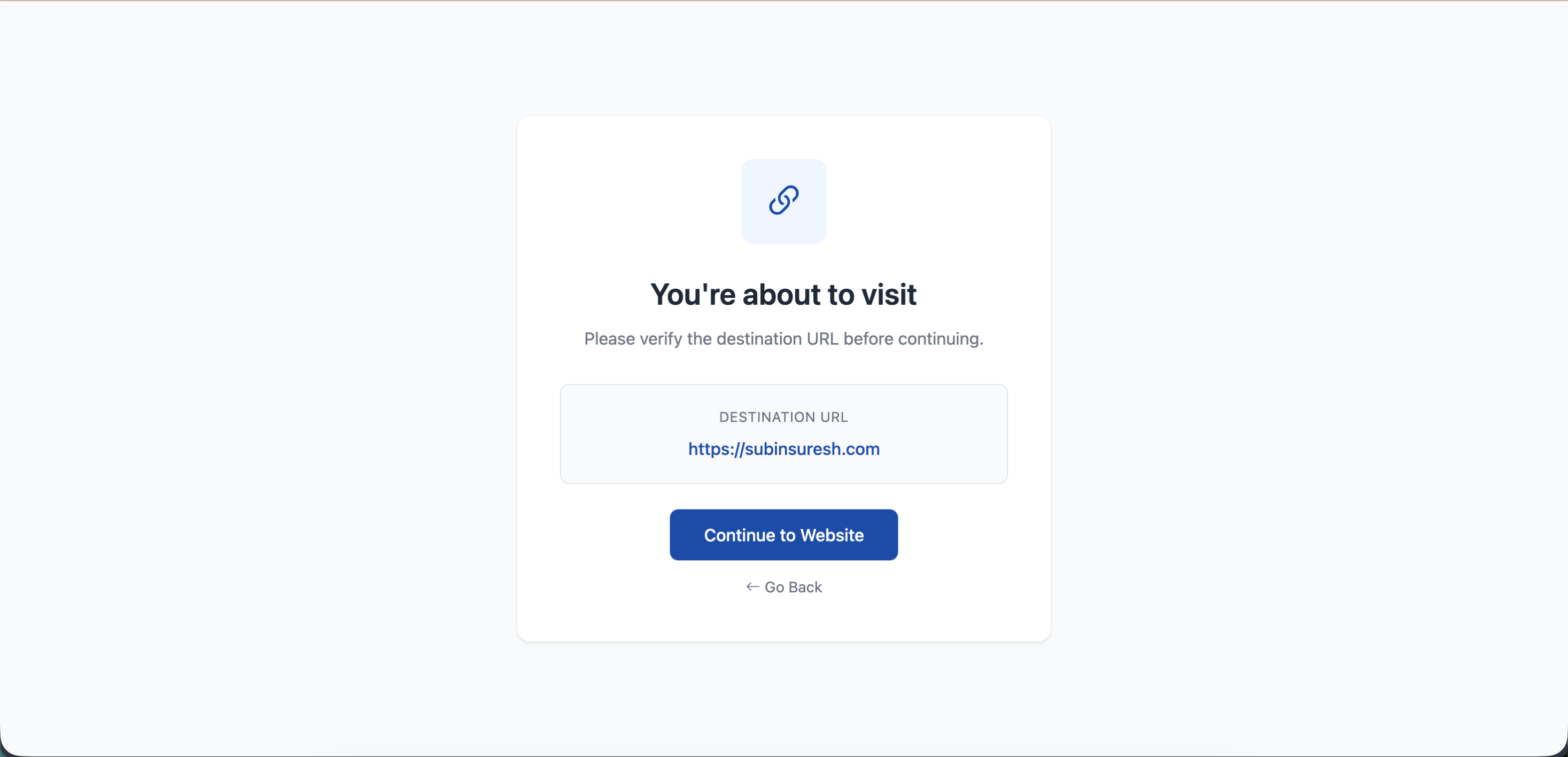
- The complete destination URL (no hidden redirects)
- A Continue button to proceed to the destination
- A Go Back option if they change their mind
Who Needs This?
| Industry | Why Preview Page Helps |
|---|---|
| Banks & Finance | Customers verify they're going to the real bank site, not a phishing page |
| Healthcare | Patients confirm they're accessing legitimate medical portals |
| Government | Citizens trust official QR codes on documents and notices |
| Education | Students and parents verify school links are authentic |
| Corporate | Professional transparency for investor relations and official communications |
How to Enable
When creating or editing a Website URL QR code, you'll see an "Enable Preview Page" checkbox right below the URL field. Just check it - that's all.
Tip
Preview Page only works with Website URL QR codes. For other types like vCard or WiFi, this option isn't available.
Still facing difficulties?
Click here to contact our support team for assistance