The QR Code That Knew What Time It Was
Black Friday sale starts at midnight. You printed 10,000 flyers last week. Problem: People are scanning the QR code NOW. They see the sale prices. They decide to wait. Your regular-price sales tank for a week.
With scheduling, you could have set the QR code to activate at midnight on Black Friday. Before that? Visitors see a teaser page: "Sale starts in 3 days." At midnight, the sale page goes live automatically. You don't touch anything.
Set it once. The QR code activates and expires automatically. You can sleep through your own launch.
Why Timing Matters
| Without Scheduling | With Scheduling |
|---|---|
| Wake up at midnight to change the link | QR auto-activates while you sleep |
| Forget to disable expired promotion | QR auto-expires, visitors see fallback page |
| Event QR works before event starts | QR only works during event hours |
| Same QR code, always same content | Different times = different experiences |
| Manual work for every campaign | Set once, forget forever |
Real Campaigns That Use This
| Business | How They Use Scheduling |
|---|---|
| Retail stores | Black Friday QR activates at midnight, expires at 11:59 PM |
| Restaurants | Happy hour menu QR only works 4-7 PM daily |
| Event planners | Conference QR works Mar 15-17 only, then shows 'Thanks for attending' |
| Product launches | Pre-order QR goes live on announcement date exactly |
| Gyms | January promo expires Jan 31, then redirects to regular pricing |
| Musicians | Album pre-save QR works until release, then switches to streaming links |
What Happens Outside the Schedule?
You choose. Two options:
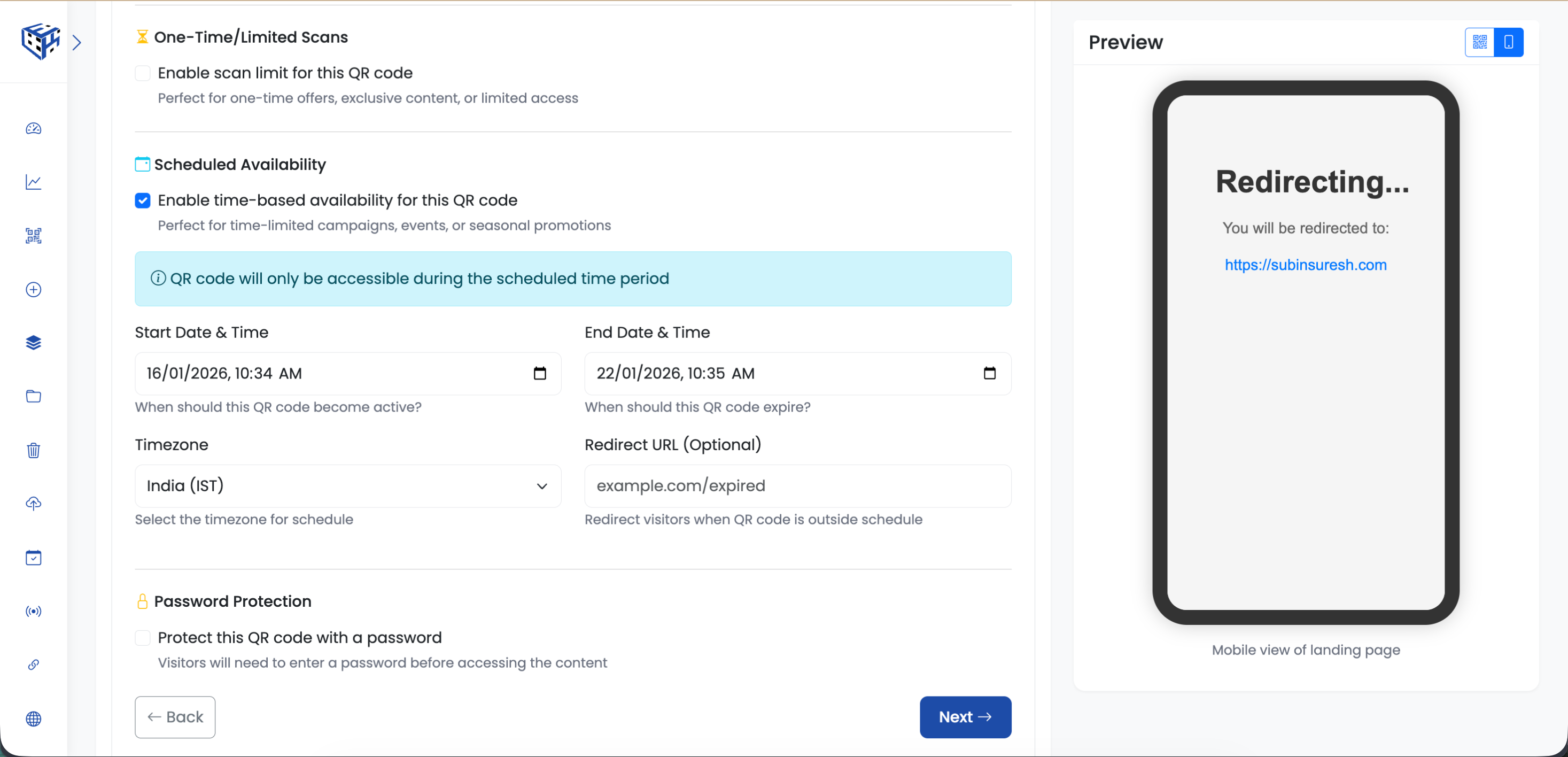
- Default message - Visitors see 'This content is not currently available'
- Custom redirect - Send them to any URL you want (teaser page, main website, waitlist)
Timezone? You Pick.
Running a global campaign? Each QR code has its own timezone setting. Your New York store's sale starts at midnight EST. Your London store's sale starts at midnight GMT. Same campaign, different timezones, one dashboard.
Tip
Combine scheduling with scan limits: 'First 100 customers on launch day only'. Double the urgency.
Warning
Always double-check your timezone setting before a big launch. 'Midnight' in the wrong timezone is a very expensive mistake.
- How to Schedule a QR Code? - Step-by-step guide to set up scheduling
Still facing difficulties?
Click here to contact our support team for assistance