"Who is ElkQR and Why Are They Emailing Me?"
A customer books an appointment through your QR code. They receive a confirmation email from noreply@elkqr.com. They've never heard of ElkQR. Is this spam? Is it legitimate? Some mark it as spam. Others just ignore it. Your booking confirmation never gets read.
With Custom SMTP, that same confirmation comes from bookings@yourcompany.com. Your brand. Your domain. Instant recognition. Better deliverability. Higher open rates.
What Emails Does This Affect?
- Booking confirmation emails
- Appointment reminders
- Feedback request emails
- Any automated email from your QR code workflows
The Difference It Makes
| Without Custom SMTP | With Custom SMTP |
|---|---|
| From: noreply@elkqr.com | From: bookings@yourcompany.com |
| Customers don't recognize sender | Instant brand recognition |
| Higher spam folder risk | Better inbox placement |
| Generic experience | Professional branded experience |
Where to Configure
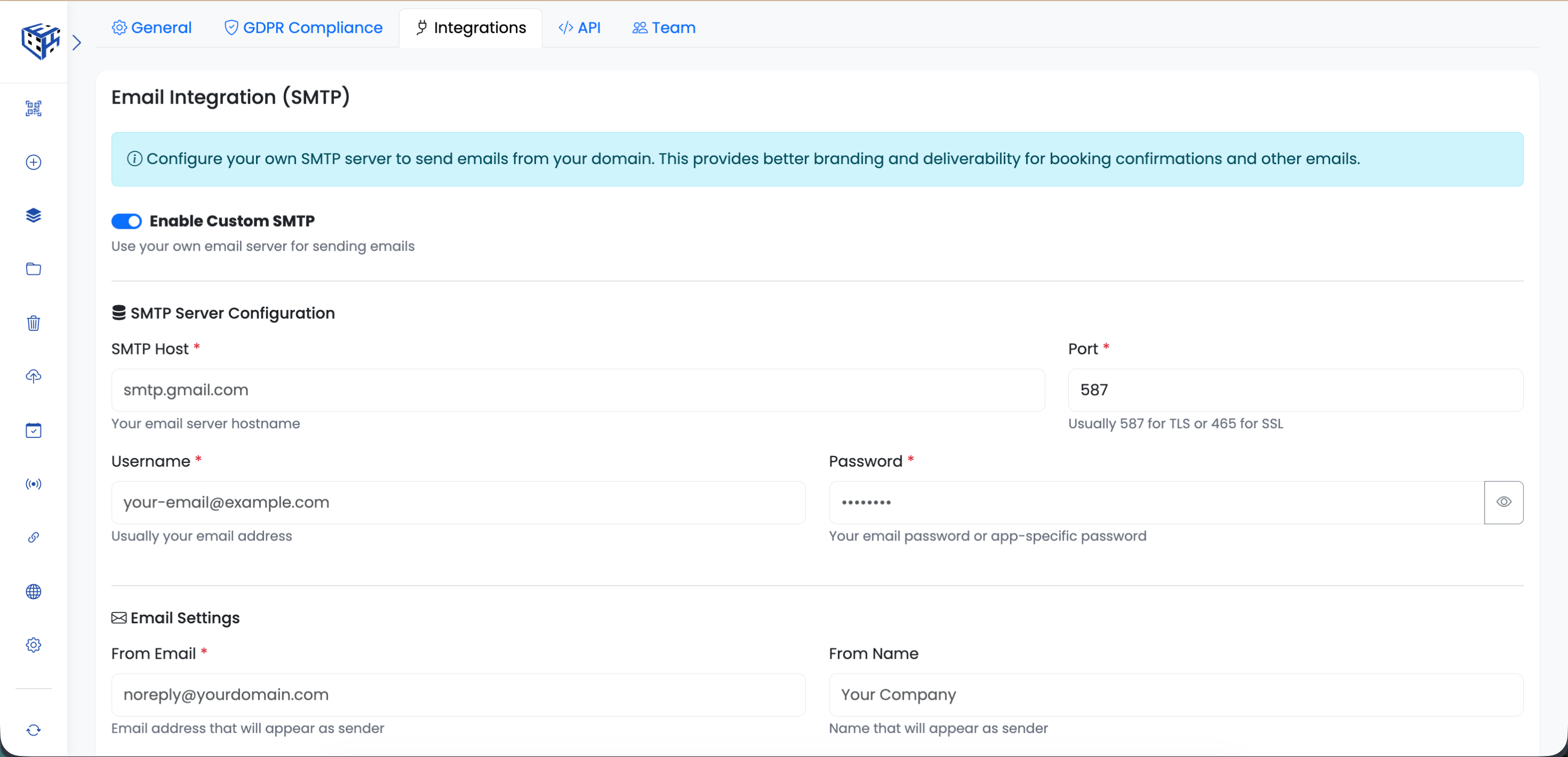
Go to Workspace Settings → SMTP tab. Toggle it on, enter your email server details, test the connection, and save.
Common SMTP Providers
| Provider | SMTP Host | Port |
|---|---|---|
| Gmail / Google Workspace | smtp.gmail.com | 587 (TLS) |
| Microsoft 365 / Outlook | smtp.office365.com | 587 (TLS) |
| Amazon SES | email-smtp.region.amazonaws.com | 587 (TLS) |
| SendGrid | smtp.sendgrid.net | 587 (TLS) |
| Mailgun | smtp.mailgun.org | 587 (TLS) |
Tip
For Gmail, you'll need an App Password (not your regular password). Go to Google Account → Security → 2-Step Verification → App Passwords to create one.
Still facing difficulties?
Click here to contact our support team for assistance