200 Products. 200 QR Codes. How Long?
You're launching a product catalog. 200 products, each needs its own QR code linking to its own page. Creating them one by one? That's 200 clicks to create, 200 customizations, 200 downloads. At 2 minutes each, that's almost 7 hours of clicking.
With bulk generation? Upload a CSV, click create, go grab coffee. Come back to 200 QR codes, all customized, all ready to download. Total time: 5 minutes.
Upload a spreadsheet. Get hundreds of QR codes. Same design. Different destinations. One click.
The Math That Makes Sense
| Number of QR Codes | One by One | Bulk Upload |
|---|---|---|
| 10 QR codes | 20 minutes | 2 minutes |
| 50 QR codes | 1.5 hours | 3 minutes |
| 100 QR codes | 3+ hours | 4 minutes |
| 500 QR codes | 16+ hours (2 days) | 5 minutes |
Who Uses Bulk Generation?
| Business | What They Create | Quantity |
|---|---|---|
| Product companies | QR for each product linking to specs/manual | 50-500 products |
| Restaurants | Table-specific QR codes for ordering | 20-100 tables |
| Event organizers | Unique attendee badge QRs | 100-5000 attendees |
| Asset managers | Equipment tracking QR codes | 100-1000 assets |
| Real estate | Property-specific QR codes | 10-200 listings |
| Schools | Student ID QR codes | 500-5000 students |
How It Works
Simple 6-step process:
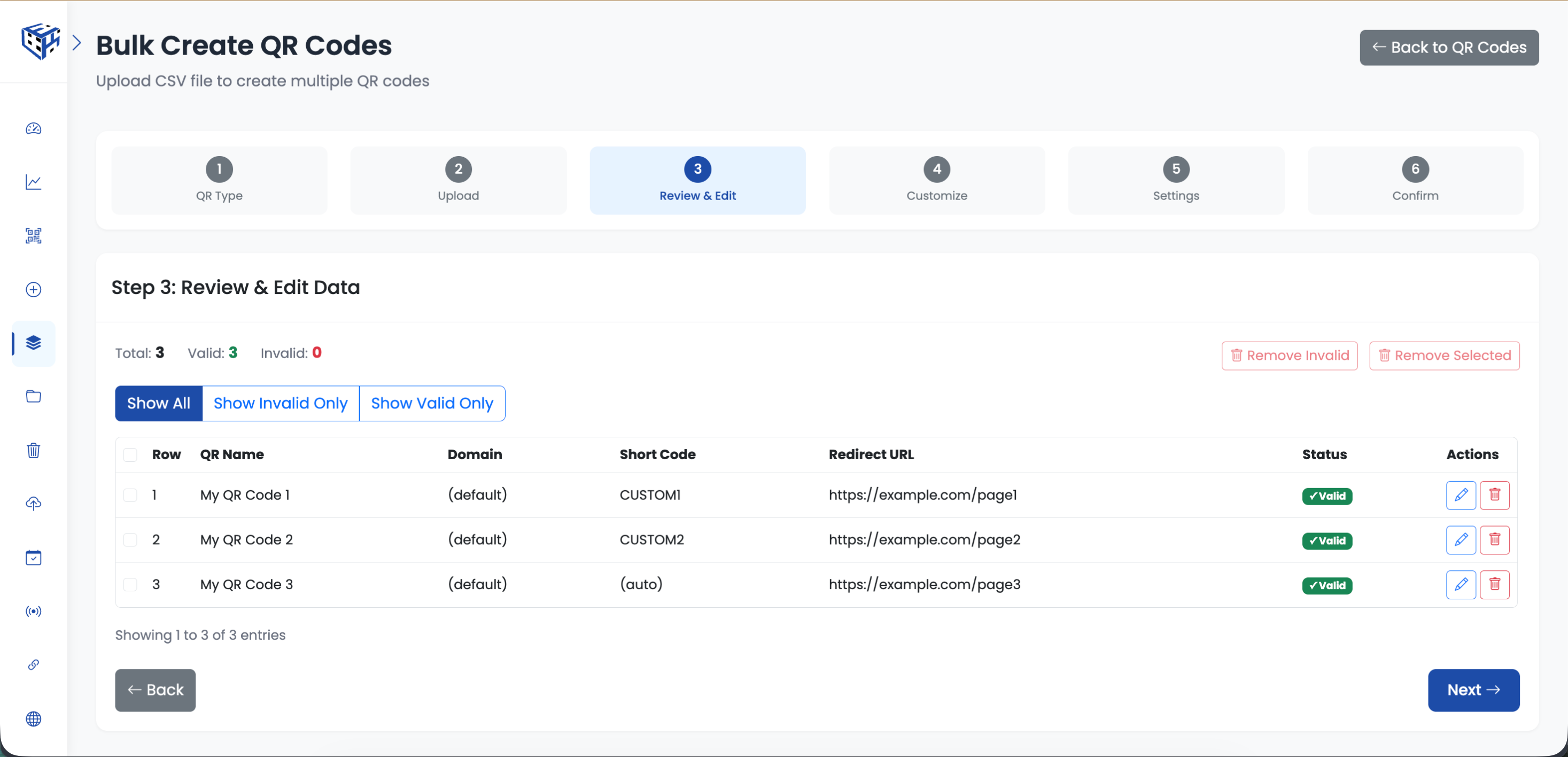
- Select QR type (URL, vCard, WiFi, etc.)
- Download the CSV template for that type
- Fill in your data (one row = one QR code)
- Upload CSV and review the data
- Customize design (applies to ALL QR codes)
- Click create - receive email when done
Supported QR Types
| QR Type | What It Does |
|---|---|
| Website URL | Link to any webpage |
| Link to PDF documents | |
| Multiple Links | One QR code with multiple links |
| VCard Plus | Digital business cards |
| App Download | Links to App Store / Play Store |
| WiFi | Auto-connect to WiFi network |
Each type has its own CSV template with the right fields. Download the sample, fill in your data, upload.
Serial Numbers (Bonus Feature)
Need to identify each QR code visually? Enable serial numbers. Each QR code gets a unique number displayed below it. Perfect for inventory tracking or when you need to know which QR is which without scanning.
Tip
Create QR codes in a folder. When you need to update all 200 product QR codes, filter by folder and bulk edit. Organization pays off.
Warning
Make sure your CSV has no empty rows and all URLs start with http:// or https://. The system validates before creating.
- How to Create Bulk QR Codes? - Step-by-step guide with screenshots
Still facing difficulties?
Click here to contact our support team for assistance